

Employee using a secure smartphone with tablet and laptop in a corporate office
Endpoint Mobile Security Guide

Content
Content
Mobile devices now outnumber traditional computers in most corporate environments. Employees access company email, cloud applications, and sensitive data from smartphones and tablets—often on unsecured networks or personal devices. This shift has created security gaps that traditional perimeter defenses can't address. Endpoint mobile security fills that void by extending protection directly to the devices employees carry everywhere.
What Is Endpoint Mobile Security?
Endpoint mobile security refers to the policies, tools, and technologies that protect smartphones, tablets, and other mobile devices from cyber threats while they access corporate resources. Unlike traditional endpoint security that focused exclusively on desktop computers and laptops, mobile endpoint protection accounts for the unique vulnerabilities of devices that connect to multiple networks, run third-party apps, and frequently leave the corporate perimeter.
The core purpose is threefold: prevent unauthorized access to company data, detect and block threats targeting mobile platforms, and maintain visibility over devices that interact with corporate systems. This matters because a compromised phone can serve as a gateway to your entire network. An employee clicking a phishing link on their smartphone during lunch could expose credentials that unlock critical systems hours later.
Mobile endpoint security differs from legacy approaches in several ways. Traditional security assumed devices stayed within a controlled network. Mobile security assumes the opposite—devices roam constantly, connect to coffee shop Wi-Fi, and install apps from public stores. The security model shifted from "trust but verify" to "never trust, always verify," particularly as bring-your-own-device (BYOD) policies became standard practice.
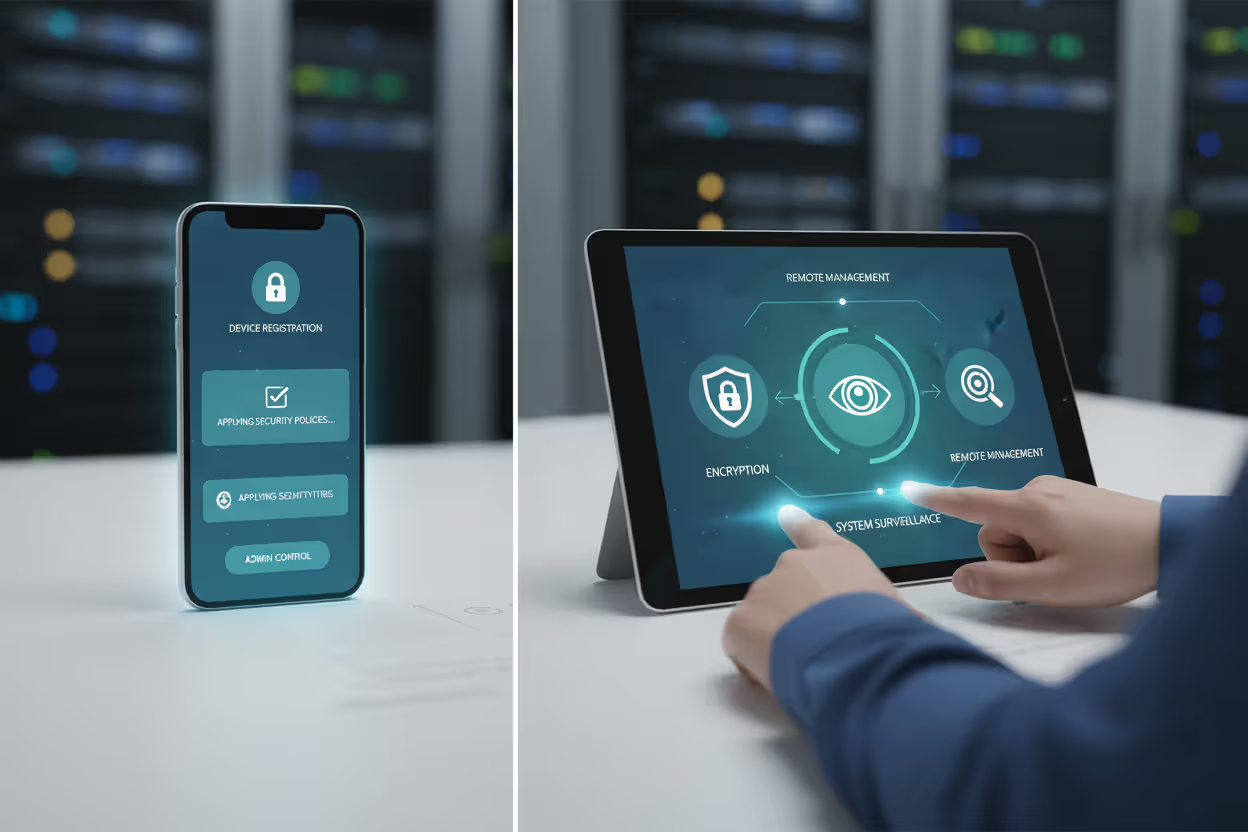
The endpoint mobile security basics include device enrollment, continuous monitoring, policy enforcement, and remote management capabilities. When a new device connects to corporate resources, it registers with a management system that applies security configurations, monitors for anomalies, and can remotely wipe data if the device is lost or the employee leaves the company.
Author: Ethan Caldwel;
Source: williamalmonte.net
How Endpoint Mobile Security Works
Endpoint mobile security operates through a combination of client-side components and cloud-based management platforms. The specific implementation varies, but two primary approaches dominate: agent-based and agentless protection.
Agent-based systems require installing a security application on the mobile device. This app acts as the enforcement point, applying encryption, scanning for malware, blocking risky network connections, and reporting device status to the central management console. The agent runs continuously in the background, monitoring file system changes, network traffic, and application behavior. When it detects suspicious activity—say, an app requesting excessive permissions or a connection attempt to a known malicious IP address—it can block the action and alert administrators.
Agentless approaches leverage built-in mobile operating system APIs and management frameworks. Apple's iOS, for example, provides Mobile Device Management (MDM) protocols that allow organizations to configure devices, enforce passcode policies, and restrict certain features without installing additional software. Android offers similar capabilities through its enterprise management APIs. Agentless methods reduce the burden on device resources but typically provide less granular control than agent-based solutions.
Real-time threat detection forms the operational core. Modern mobile endpoint security platforms use behavioral analysis to identify threats that signature-based detection might miss. If a device suddenly starts uploading large amounts of data to an unfamiliar server at 3 AM, the system flags this as anomalous even if no known malware signature matches. Machine learning models trained on millions of mobile device interactions help distinguish between legitimate user behavior and potential compromise.
Encryption protects data both at rest and in transit. When an employee saves a customer spreadsheet to their tablet, the security system encrypts that file using keys managed by the organization. If someone steals the device and tries to extract data directly from the storage chip, they'll find only encrypted gibberish. Similarly, when the device transmits data over cellular or Wi-Fi networks, encryption prevents eavesdropping.
Policy enforcement translates security requirements into technical controls. An organization might define a policy stating "devices accessing email must have a passcode of at least eight characters and biometric authentication enabled." The endpoint security platform automatically checks each device against this requirement and blocks access for non-compliant devices. Employees receive notifications explaining what they need to fix, and once they comply, access resumes automatically.
Remote management capabilities let administrators respond to security incidents without physical access to devices. If an employee reports their phone stolen, IT can immediately trigger a remote wipe that erases all corporate data. If a new vulnerability emerges affecting a specific app version, administrators can push updates or disable that app across all managed devices within minutes.

Author: Ethan Caldwel;
Source: williamalmonte.net
Key Components of Mobile Endpoint Protection
Several specialized technologies work together to create comprehensive mobile endpoint security:
Mobile Device Management (MDM) provides the foundation for controlling device configurations. MDM platforms enroll devices, apply security policies, distribute apps, and enforce compliance requirements. They answer questions like "Which devices are accessing our network?" and "Do all devices meet our minimum security standards?" MDM excels at managing corporate-owned devices where the organization controls the entire device.
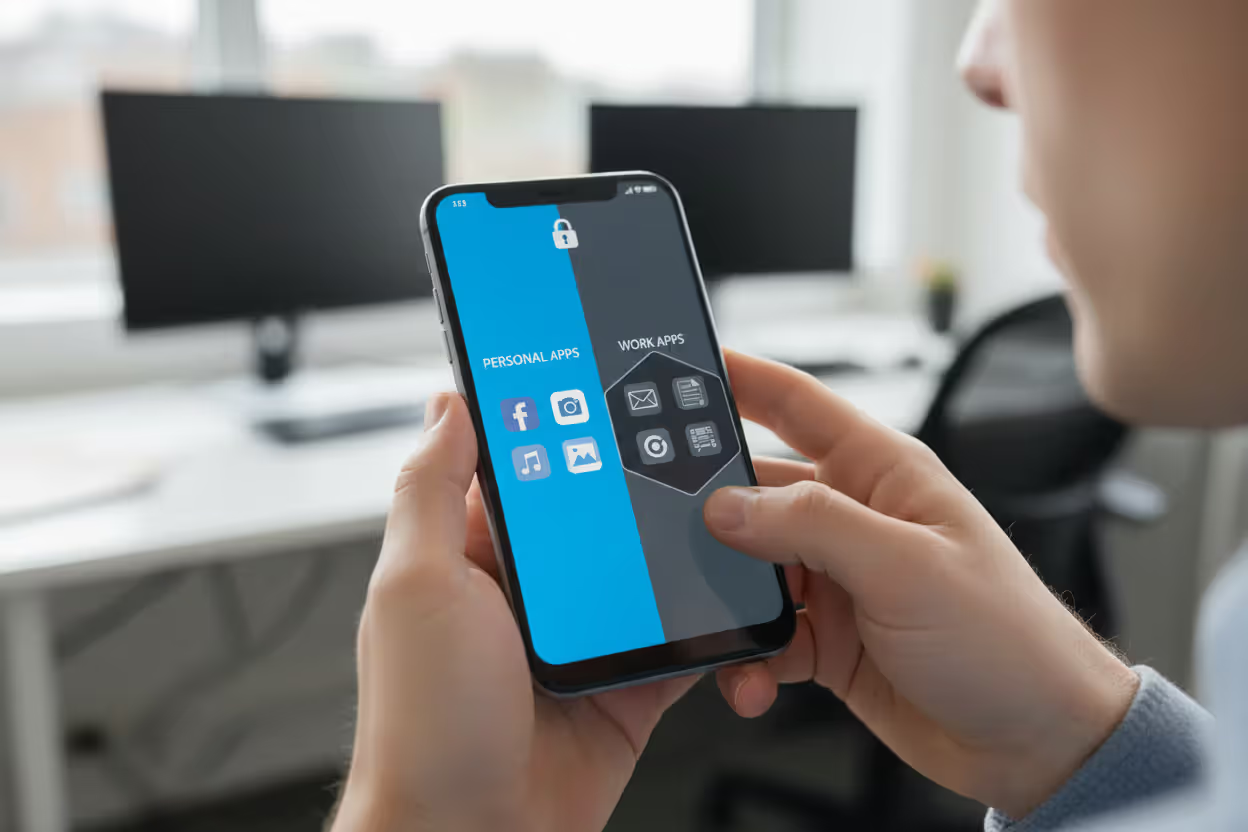
Mobile Application Management (MAM) focuses on protecting specific apps and their data rather than the entire device. This approach suits BYOD scenarios where employees use personal phones for work. MAM creates a secure container around work apps, encrypting their data and preventing it from mixing with personal apps. An employee can use the same phone for personal banking and corporate email, but MAM ensures those two worlds never intersect.
Mobile Threat Defense (MTD) specializes in detecting and blocking threats targeting mobile platforms. MTD tools scan for malicious apps, identify phishing attempts, detect network-based attacks, and flag risky device configurations. They understand mobile-specific attack vectors like SMS phishing (smishing), malicious QR codes, and compromised app stores. When an employee downloads an app that requests suspicious permissions or connects to a known command-and-control server, MTD blocks it.
Containerization creates isolated environments on devices where corporate data lives separately from personal data. Think of it as a secure vault within the phone. Apps and data inside the container follow corporate security policies, while everything outside remains under the user's control. If the employee leaves the company, IT can delete the container without touching personal photos or apps.
Authentication layers verify that the person using the device is authorized. This goes beyond simple passwords to include biometrics (fingerprint, face recognition), multi-factor authentication, and certificate-based verification. Advanced implementations use continuous authentication, monitoring typing patterns and device handling to detect if someone other than the authorized user has taken control.
Common Threats Endpoint Mobile Security Prevents
Mobile devices face a distinct threat landscape that endpoint security must address:
Malware targeting mobile platforms has grown sophisticated. Banking trojans disguise themselves as legitimate apps, overlaying fake login screens to steal credentials. Spyware records conversations, tracks locations, and exfiltrates messages. Ransomware encrypts device data and demands payment. Mobile endpoint security detects these threats through behavioral analysis and known malware signatures, blocking installation or quarantining infected devices.
Phishing attacks exploit mobile interfaces where URLs are harder to inspect and users are more likely to click quickly. An attacker sends a text message appearing to come from IT, asking the employee to verify their credentials through a link. The mobile browser displays less information than desktop browsers, making it harder to spot fake domains. Endpoint security can analyze links in real-time, blocking access to known phishing sites and warning about suspicious domains.
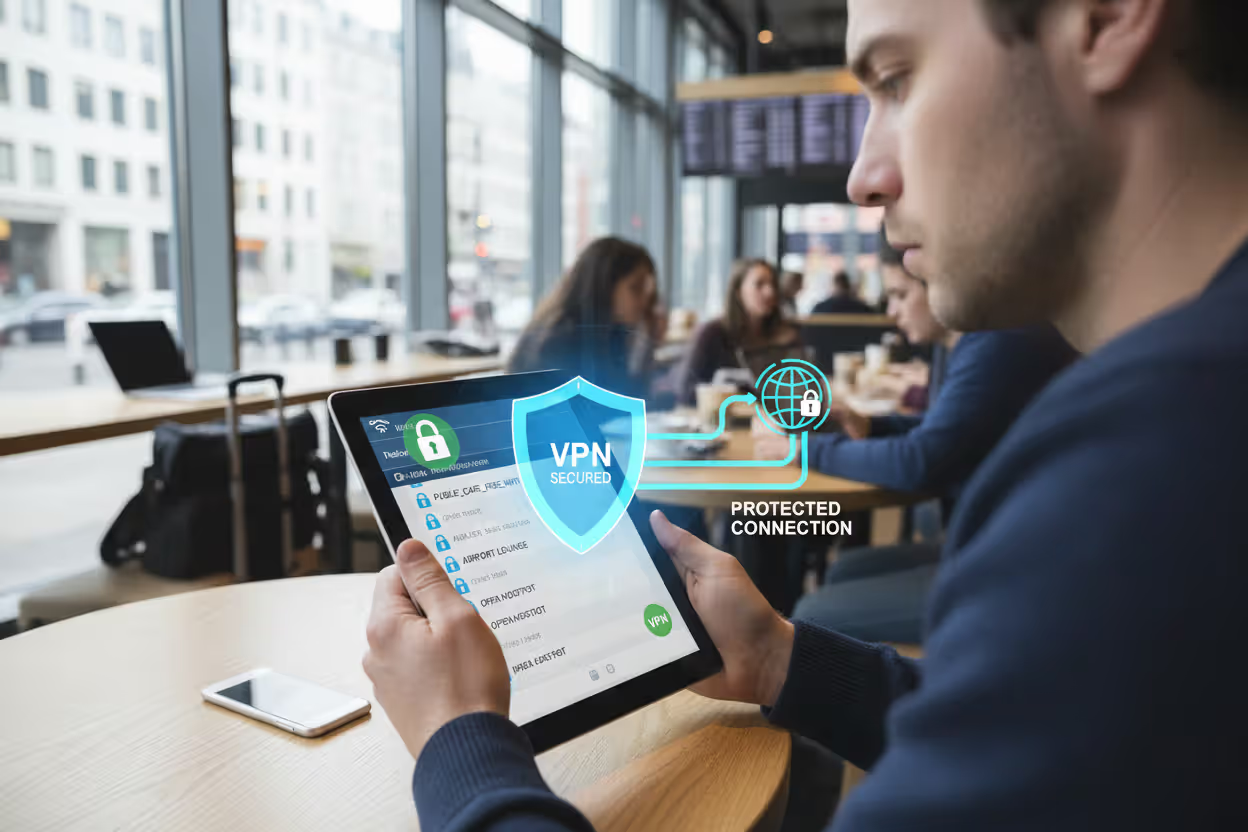
Unsecured Wi-Fi networks present constant risks. Employees connect to airport, hotel, and coffee shop networks without knowing who operates them or who else is connected. Attackers set up rogue access points with names like "Free Airport WiFi" to intercept traffic. Even legitimate public networks often lack encryption. Mobile endpoint security can require VPN connections when devices join untrusted networks, encrypting all traffic and preventing man-in-the-middle attacks.
Author: Ethan Caldwel;
Source: williamalmonte.net
Data leakage happens through multiple channels. An employee might accidentally email a confidential document to the wrong recipient, save sensitive data to a personal cloud storage account, or take screenshots of proprietary information. Endpoint security applies data loss prevention (DLP) policies that detect sensitive content and block risky actions. If someone tries to copy customer credit card numbers from a work app to a personal messaging app, the system blocks the action.
Lost or stolen devices create immediate exposure. A phone left in a taxi contains email, documents, and potentially saved passwords. Without protection, whoever finds it gains access to everything. Endpoint security enables remote lock and wipe capabilities, and continuous authentication can detect that a different person is using the device based on behavioral patterns.
Rogue applications bypass official app stores or hide malicious functionality within seemingly legitimate apps. An employee might download a productivity app that secretly harvests contacts and uploads them to a third-party server. Mobile endpoint security maintains application whitelists and blacklists, scans apps for risky permissions, and monitors runtime behavior to catch malicious actions.
Endpoint Mobile Security Examples in Practice
Understanding how organizations actually implement mobile endpoint security clarifies abstract concepts:
BYOD in a mid-sized technology company: A software firm with 300 employees allows staff to use personal smartphones for work email and collaboration tools. They implement MAM to create secure containers on employee devices. Work apps like email, chat, and document editors run inside the container with encryption and access controls. Employees can't copy data from work apps to personal apps. When someone leaves the company, IT remotely wipes only the container, leaving personal data untouched. The company saves money by not purchasing devices while maintaining security through strict app-level controls.
Author: Ethan Caldwel;
Source: williamalmonte.net
Healthcare compliance scenario: A hospital network must comply with HIPAA regulations protecting patient information. Doctors and nurses access electronic health records on tablets during rounds. The hospital deploys full MDM on these corporate-owned devices, enforcing encryption, disabling cameras in certain areas, and requiring biometric authentication. MTD continuously scans for threats and blocks devices from accessing patient data if they show signs of compromise. Geofencing prevents devices from accessing sensitive systems when they leave hospital premises. Audit logs track every access to patient records, creating the compliance trail regulators require.
Remote workforce at a financial services firm: An investment bank supports 2,000 remote employees who access trading platforms and client portfolios from home offices. The security team implements certificate-based authentication where each device receives a unique digital certificate. Devices must present this certificate along with user credentials to access corporate systems. Conditional access policies check device compliance before granting access—the device must run approved OS versions, have encryption enabled, and show no signs of jailbreaking or rooting. MTD monitors for network-based attacks, particularly important since employees connect from home networks the company doesn't control. If a device shows signs of compromise, it's automatically quarantined until security reviews it.
Retail chain securing point-of-sale tablets: A national retailer equips store associates with tablets for inventory management and mobile checkout. These devices handle payment card data, requiring PCI-DSS compliance. The retailer uses containerization to separate payment processing apps from other store systems. Tablets can only install apps from an internal app store that IT controls. Network segmentation ensures tablets can only communicate with specific servers. If a tablet leaves the store's geofenced area, it automatically locks and alerts security. This prevents theft and ensures devices aren't used to access corporate systems from unsecured locations.
Choosing an Endpoint Mobile Security Solution
Selecting the right platform requires evaluating several factors against your specific requirements:
Platform compatibility determines which devices you can protect. If your workforce uses both iOS and Android devices, you need a solution supporting both platforms with comparable features. Some tools offer better iOS integration, leveraging Apple's MDM framework, while others excel at Android's more open architecture. Consider emerging platforms too—some organizations issue rugged devices running specialized operating systems that require vendor-specific security tools.
Scalability matters as your organization grows. A solution working well for 100 devices might struggle at 10,000. Evaluate how the platform handles device enrollment at scale. Can you automate enrollment through zero-touch provisioning? How quickly can you push policy changes to thousands of devices? What happens to performance when you need to remotely wipe 50 devices simultaneously after a security incident?
Integration with existing tools prevents creating security silos. Your mobile endpoint security should feed alerts into your SIEM (Security Information and Event Management) system, sync with your identity provider for authentication, and coordinate with your network access control. If your organization already uses Microsoft 365, a solution integrating tightly with Azure Active Directory and Intune might reduce complexity. Conversely, if you run a multi-cloud environment, you might prefer vendor-neutral platforms.
Compliance requirements shape feature priorities. Financial services organizations need audit logging and data residency controls. Healthcare providers require HIPAA compliance with specific encryption standards. Government contractors must meet NIST or FedRAMP requirements. Verify that potential solutions have relevant certifications and can generate compliance reports matching your industry's requirements.
User experience impact affects adoption and productivity. Solutions requiring constant authentication or significantly draining battery life generate employee resistance. Test how the security platform affects device performance, how intrusively it operates, and whether it interferes with legitimate activities. The best security in the world fails if employees find workarounds to avoid it.
Management overhead varies dramatically between platforms. Some solutions require dedicated staff to operate, while others offer automation reducing administrative burden. Consider whether the platform provides self-service capabilities for common tasks like device enrollment or password resets. Evaluate the quality of reporting and dashboards—can you quickly answer questions about your security posture, or does extracting useful information require extensive manual work?
Cost structure extends beyond licensing fees. Factor in implementation costs, ongoing management overhead, and potential productivity impact. Some vendors charge per device, others per user, and some use tiered pricing based on features. Hidden costs include training staff, integrating with existing systems, and supporting users during rollout.
Common Mistakes When Implementing Mobile Endpoint Security
Mobile devices represent the new perimeter in cybersecurity. We've moved from protecting the castle walls to protecting the individual knights wherever they roam. Organizations that fail to extend endpoint security to mobile devices are essentially leaving their front door unlocked while installing sophisticated alarms on the windows
— Dr. Sarah Chen
Organizations frequently stumble over predictable pitfalls:
Ignoring user experience creates resistance that undermines security. Requiring six authentication steps to check email trains employees to find workarounds. Implement security controls proportional to risk—accessing public company information needs less protection than financial data. Communicate why security measures exist and how they protect both the company and employees.
Incomplete device coverage leaves gaps attackers exploit. Some organizations secure corporate-issued devices but ignore personal devices accessing company email. Others protect smartphones but overlook tablets or wearables. Create an inventory of every device type accessing corporate resources and ensure your security strategy covers all of them.
Neglecting iOS versus Android differences leads to inconsistent security. iOS's closed ecosystem and Android's fragmentation require different approaches. A policy that works perfectly on iOS might be impossible to enforce on certain Android devices. Design policies that account for platform differences rather than assuming one-size-fits-all.
Author: Ethan Caldwel;
Source: williamalmonte.net
Poor policy communication confuses users and generates support tickets. Employees receive cryptic error messages saying their device is "non-compliant" without explanation of what that means or how to fix it. Provide clear, actionable guidance. Instead of "Device security check failed," explain "Your device needs a passcode of at least 8 characters. Go to Settings > Security to set one."
Treating implementation as one-time event rather than ongoing process creates drift. Security requirements evolve as new threats emerge and business needs change. Establish regular reviews of policies, monitor for non-compliant devices, and update your approach as the mobile landscape shifts.
Overlooking testing before deployment causes disruption. Rolling out new security policies to thousands of devices without pilot testing can break critical workflows. Test with representative user groups, gather feedback, and refine before broad deployment.
Endpoint Mobile Security Approaches Compared
| Approach | What It Protects | Best For | Limitations |
| MDM (Mobile Device Management) | Entire device configuration, OS settings, installed apps, network access | Corporate-owned devices, highly regulated industries, environments requiring full control | Invasive on personal devices, limited application-level control, employee privacy concerns |
| MAM (Mobile Application Management) | Specific applications and their data, app-level policies, work-personal separation | BYOD scenarios, organizations wanting to protect data without controlling entire device | Doesn't address OS-level vulnerabilities, requires app compatibility, limited device visibility |
| MTD (Mobile Threat Defense) | Against malware, network attacks, phishing, risky configurations, OS exploits | Threat detection across any device type, supplementing other approaches | Doesn't enforce policies or manage configurations, requires integration with MDM/MAM |
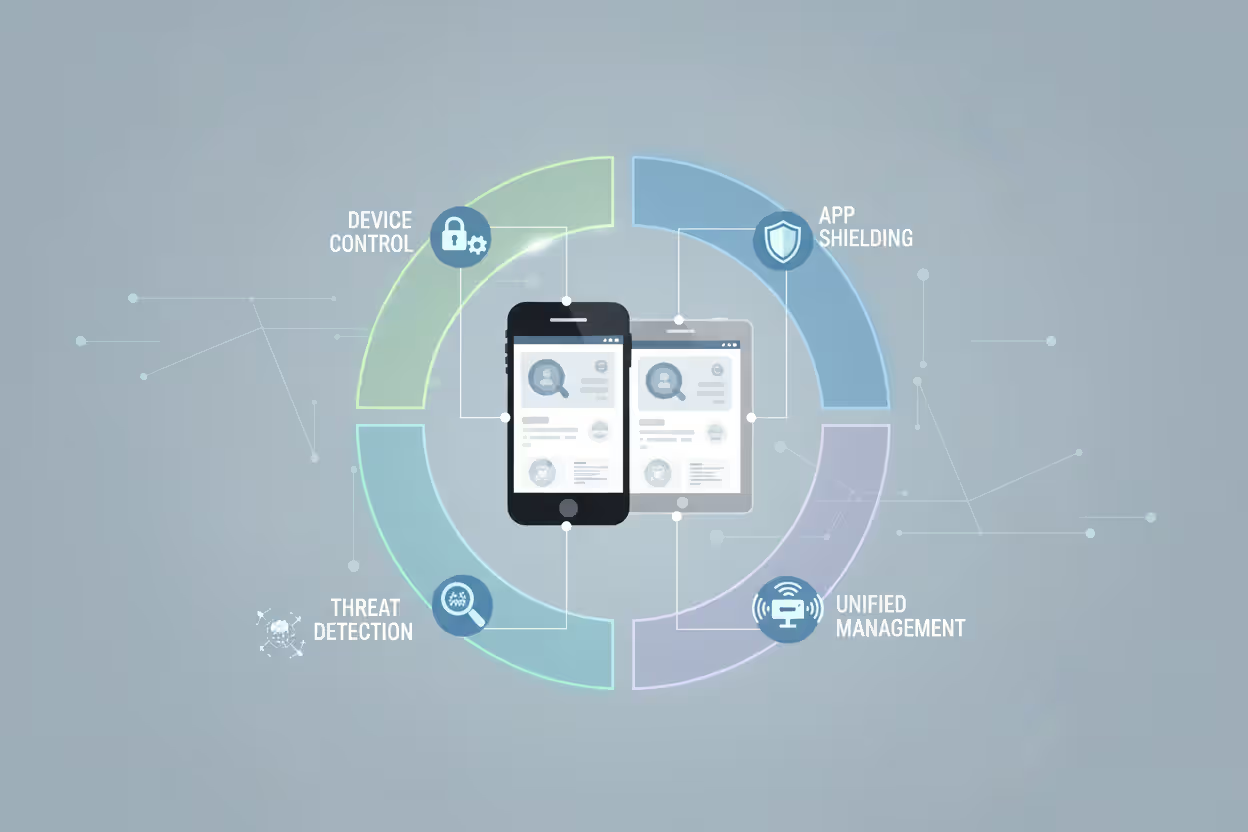
| UEM (Unified Endpoint Management) | Mobile devices, desktops, laptops, IoT devices through single platform | Organizations managing diverse device types, seeking consolidated management | Complexity, higher cost, may not excel at any single device type |
Frequently Asked Questions About Endpoint Mobile Security
Mobile devices have become indispensable business tools, but their mobility and connectivity create security challenges that traditional approaches can't address. Endpoint mobile security extends protection to smartphones and tablets through a combination of policy enforcement, threat detection, encryption, and remote management capabilities.
Effective implementation requires understanding the different approaches—MDM for full device control, MAM for app-level protection, MTD for threat detection—and selecting the combination that matches your organization's needs. Consider whether you're securing corporate-owned devices or personal devices in a BYOD environment, what compliance requirements you face, and how security controls will affect user experience.
The threat landscape continues evolving. Attackers increasingly target mobile platforms as they become more prevalent in corporate environments. Phishing campaigns designed specifically for mobile interfaces, malware exploiting mobile OS vulnerabilities, and attacks targeting remote workers all demand robust mobile endpoint security.
Start by inventorying which devices access your corporate resources, assessing the sensitivity of data they handle, and identifying compliance requirements. Pilot solutions with representative user groups before broad deployment. Communicate clearly with employees about what security measures mean for their devices and privacy. Monitor continuously and adjust policies as threats and business needs evolve.
Mobile endpoint security isn't optional anymore—it's fundamental to protecting your organization in an environment where the network perimeter dissolved years ago and employees access critical systems from devices in their pockets.
Related Stories

Read more

Read more



The content on this website is provided for general informational and educational purposes only. It is intended to explain concepts related to endpoint security, cybersecurity practices, threat prevention, and security technologies.
All information on this website, including articles, guides, and examples, is presented for general educational purposes. Cybersecurity requirements and implementations may vary depending on organizational needs, infrastructure, regulatory requirements, and threat environments.
This website does not provide professional cybersecurity, legal, or compliance advice, and the information presented should not be used as a substitute for consultation with qualified cybersecurity professionals.
The website and its authors are not responsible for any errors or omissions, or for any outcomes resulting from decisions made based on the information provided on this website.