
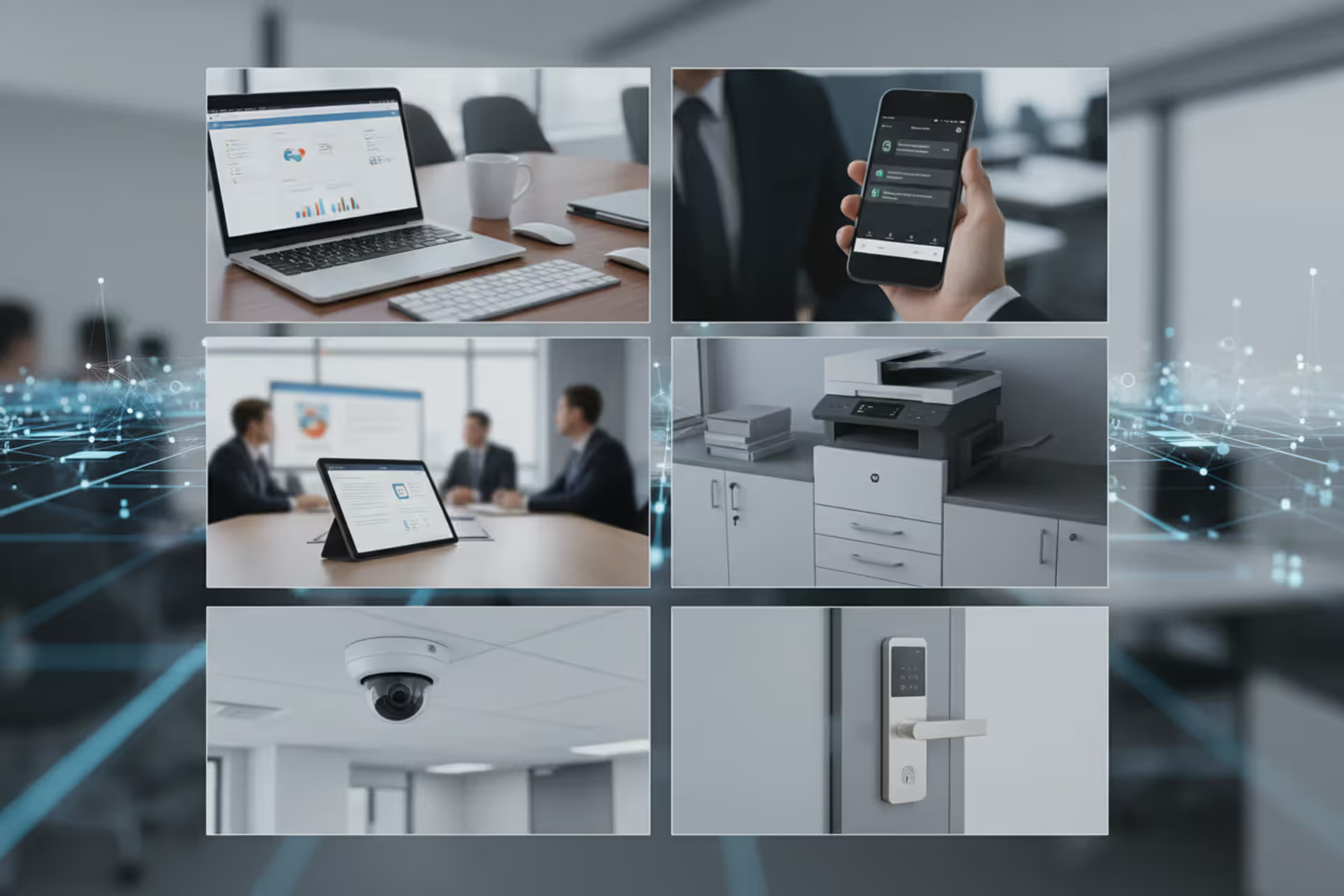
Corporate network endpoints including laptop, smartphone, tablet, printer, camera, and smart lock
What Is an Endpoint in Cyber Security?

Content
Content
Think of your company's network as a bustling city. Endpoints? They're every building where work actually happens—not the roads connecting them or the traffic lights controlling flow. Your work laptop, that conference room iPad, even the smart lock on the server room door—all endpoints. Each one's a spot where data gets created, accessed, or modified, and that's precisely why hackers love them.
Here's the reality: you can't protect what you don't understand. Endpoints have multiplied like rabbits over the past decade, and most IT teams barely know half of what's connecting to their networks.
Endpoint Definition and Core Concepts
So what exactly counts as an endpoint in cyber security? The definition centers on one key trait: it's a device connecting to your network from the edge—the perimeter—where it can send and receive data. Could be physical hardware sitting on someone's desk. Could be a virtual machine running in AWS. Doesn't matter. If it's exchanging information with your systems, you're looking at an endpoint.
The meaning here runs deeper than "a computer on our network." We're talking about anything—and I mean anything—that can kick off a network session or be the destination for data. That includes your sales team's iPhones, the lobby's visitor management kiosk, and yes, even that Kubernetes container your developers spun up last Tuesday.
Now, contrast this with network infrastructure. Switches move packets around. Firewalls inspect traffic and block the bad stuff. Load balancers distribute connections. None of these are endpoints because nobody's logging into them to write reports or check email. They're the plumbing. Endpoints are the faucets where water actually gets used.
Why split hairs over definitions? Because how you defend a router versus how you defend a laptop are completely different games. Routers run stable, predictable software that changes maybe twice a year. Meanwhile, Karen from accounting just installed three browser extensions, opened an email attachment, and downloaded a PDF—all before her second coffee. That's Tuesday.
Network gear has narrow purposes and controlled configurations. Endpoints? They're chaos. Users tweak settings, install random apps, plug in USB drives they found in parking lots. All that unpredictability creates vulnerabilities that static network devices simply don't have.
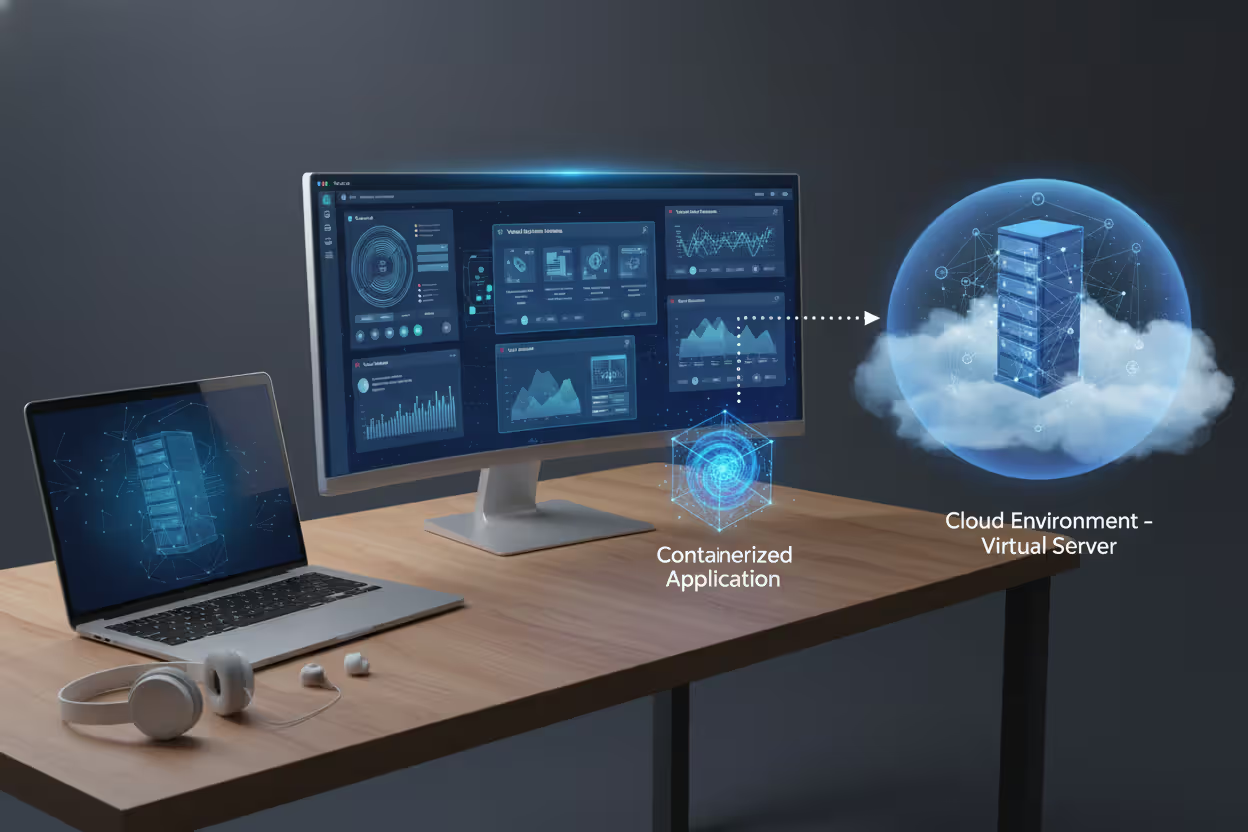
Virtual endpoints throw another wrench in the works. That Windows desktop running in your data center—it's headless, no physical form—but it's absolutely an endpoint because Sarah in Denver logs into it every morning to run Excel macros that should probably be illegal. Containers, VDI sessions, cloud workloads—if someone or something uses it to do work, treat it like an endpoint.
Author: Ethan Caldwel;
Source: williamalmonte.net
Common Types of Endpoints in Modern Networks
Let's catalog what's actually out there connecting to networks in 2025:
Desktop and laptop computers still dominate most corporate environments. Full operating systems, dozens of applications, local storage, domain credentials—these workhorses handle the bulk of knowledge work. They're also walking around in backpacks, sitting in cars, getting left at airport security.
Mobile devices have stopped being optional. Your CFO needs to approve expenses from her iPhone. Your field techs log service calls on Android tablets. These pocket computers hop between your corporate Wi-Fi, home networks, and that sketchy coffee shop hotspot downtown—all in one afternoon.
Servers seem like they'd be infrastructure, but they're endpoints too. Application servers run your CRM. Database servers store customer records. File servers... well, they serve files. All of them process data, run software, and communicate across networks. Endpoint status: confirmed.
IoT devices have become the wild west of endpoints. Building management systems controlling HVAC. Security cameras recording lobbies. Badge readers logging access. Smart TVs in conference rooms. Networked printers that definitely have more computing power than the Apollo 11 guidance computer. The real problem? Most companies have zero clue how many of these things are actually out there. IT installs some, facilities adds others, and departments plug stuff in without telling anyone.
Point-of-sale terminals in retail locations handle credit card swipes and inventory lookups. They're specialized, sure, but they're sitting on your network processing transactions and connecting to backend systems.
Printers and multifunction devices get forgotten constantly. They cache print jobs, store scanned documents, maintain address books, and run embedded Linux. That copier by reception? It's a full computer with hard drives and network interfaces.
Wearable technology has crept into industries beyond fitness tracking. Hospital staff wear communication badges. Warehouse workers sport smart glasses for picking orders. Manufacturers issue safety wearables that track location and vitals.
Traditional vs. Modern Endpoints
Back in 2010, endpoints were pretty straightforward. Desktop towers bolted to desks inside your building. Maybe some laptops for executives. All company-owned, IT-imaged, sitting behind your firewall. Life was simple.
Fast forward to now. Your endpoints are everywhere. Bob's using his personal MacBook for work because BYOD sounded cost-effective. Lisa's accessing the CRM from a virtual desktop while traveling through three countries. That intern is running your analytics dashboard on a Chromebook. Edge computing means you've got processing happening in retail stores, warehouses, and cell towers—endpoints in locations without a single IT person within fifty miles.
The security implications? Night and day. Perimeter defenses assumed everything inside was trusted and everything outside was hostile. That model died when endpoints started living in hostile territory permanently. Coffee shop Wi-Fi isn't your trusted network. Hotel ethernet isn't secure. Even home networks are sketchy.
Modern endpoint security can't assume friendly environments. Every device needs to defend itself because you can't count on network-level protection anymore.
Why Endpoints Are Primary Targets for Cyberattacks
Attackers follow the path of least resistance, and endpoints pave a six-lane highway straight into your network.
Do the math. Your organization might have two firewalls, maybe five if you're paranoid. How many endpoints? If you're a 300-person company, probably somewhere between 900 and 1,500 when you count computers, phones, tablets, IoT devices, and shared equipment. Each one's running different software versions, connecting from different locations, operated by humans making questionable decisions.
Remote work turned this from a problem into a crisis. When endpoints mostly stayed in offices, attackers had to breach your perimeter first—firewalls, VPNs, intrusion detection. Now? Endpoints connect from home networks protected by consumer-grade routers with default passwords. From hotels. From airports. The perimeter dissolved.
Recent research puts roughly 68% of successful breaches in 2025 starting with endpoint compromise. Phishing emails deliver malware to laptops. Unpatched vulnerabilities in desktop software get exploited. Stolen passwords grant access to legitimate devices. These aren't sophisticated nation-state attacks—they're opportunistic criminals going after the easiest targets.
Endpoints have become the new perimeter. Organizations that still think in terms of network boundaries are fighting yesterday's war. The battle now happens on every laptop, phone, and IoT device your employees touch
— Sarah Chen
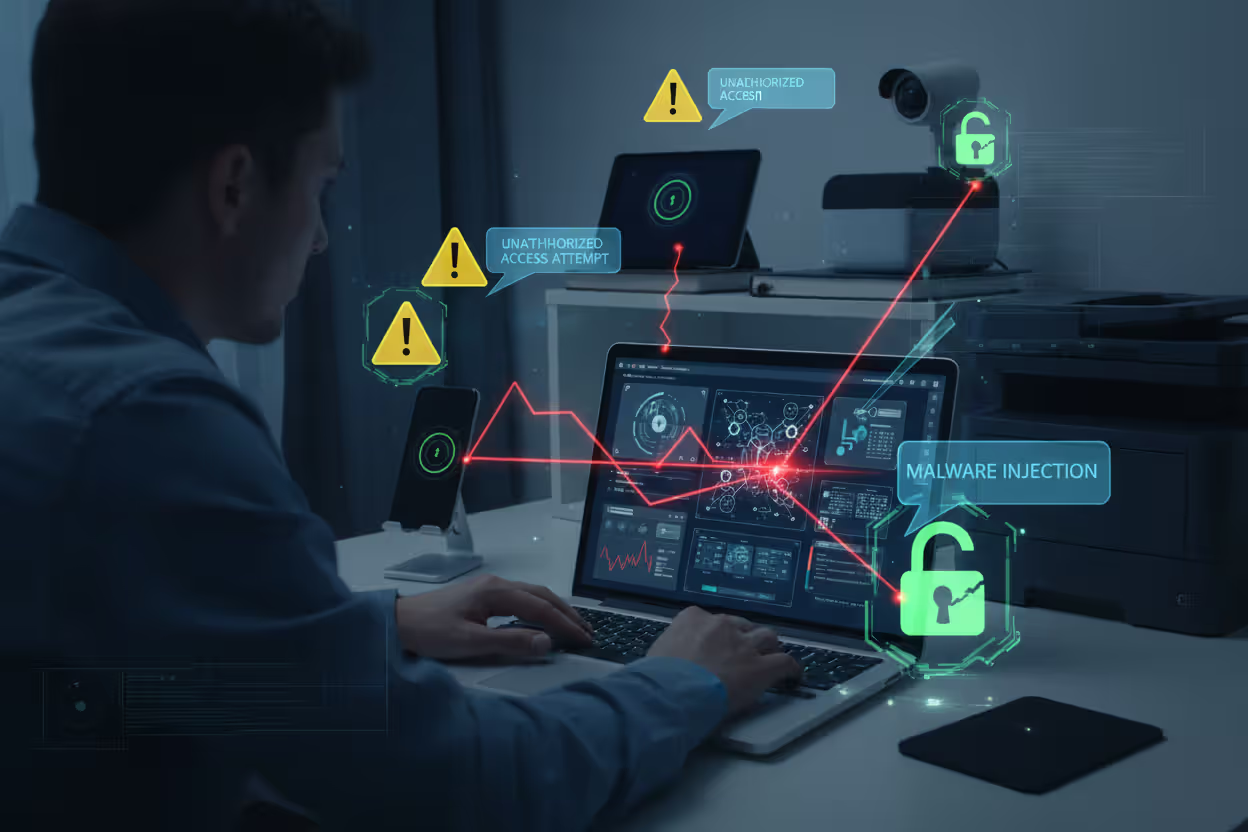
Here's another angle: privilege escalation. Attackers don't usually need to crack your domain controller on the first try. They'll compromise some contractor's laptop—maybe it's missing patches, maybe the contractor clicked a convincing phishing link. Doesn't matter. Once they're on that one endpoint, they pivot. They move laterally through your network, hunting for valuable targets. That low-security IoT device nobody thought twice about? Perfect entry point.
Ransomware gangs perfect this playbook. Initial access almost always comes through an endpoint—RDP exploitation, phishing attachments, vulnerable VPN clients. Then they spread, endpoint to endpoint, mapping your network and planting encryption malware everywhere before hitting the trigger.
Author: Ethan Caldwel;
Source: williamalmonte.net
How Endpoint Security Works
Protecting endpoints requires multiple defensive layers because no single tool stops everything.
Antivirus and anti-malware software forms the baseline. It scans files looking for known bad stuff, watches how programs behave for suspicious patterns, and blocks malware it recognizes. Signature-based detection matches files against databases of known threats. Heuristic analysis spots sketchy behavior—like a Word document trying to download executables. Neither's perfect, but you need both.
Endpoint Detection and Response platforms take protection several steps further. Instead of just blocking known threats, EDR watches everything happening on endpoints continuously. Process executions, file changes, network connections, registry modifications—it's all logged and analyzed. When something weird happens—maybe PowerShell spawning unexpected child processes or a service account accessing files it never touched before—EDR flags it.
Mobile Device Management handles smartphones and tablets. MDM enforces security policies remotely. Require screen locks. Block jailbroken devices. Manage which apps users can install. Wipe corporate data from lost phones. It's essential for BYOD scenarios where you need to protect company data without invading personal privacy.
Patch management fixes software vulnerabilities before attackers exploit them. Sounds simple. Isn't. Patches sometimes break applications, so you need testing. But testing takes time, and vulnerabilities get exploited fast. Most organizations compromise: critical security patches deploy quickly to production after minimal testing, while feature updates hit test groups first.
Access controls limit damage when endpoints get compromised. Least privilege principle means users only get permissions they actually need. Why does marketing need admin rights? They don't. Application whitelisting goes further—only approved software can execute. Period. That random executable from the internet? Blocked.
Encryption protects data at rest. Full-disk encryption means stolen laptops are just expensive paperweights. Thieves can't access the data without encryption keys. Should be mandatory for anything mobile, but you'd be surprised how many organizations skip it because users complain about slight performance impacts.
Network access control checks endpoint health before allowing connections. Missing patches? Quarantined. No antivirus? Blocked. Outdated OS? Remediate first, access later. NAC creates a compliance gate that every endpoint must pass through.

Author: Ethan Caldwel;
Source: williamalmonte.net
Endpoint Detection and Response (EDR) Explained
EDR deserves its own spotlight because it's fundamentally changed endpoint defense strategies.
Traditional antivirus is reactive—it knows about threats that have already been documented. EDR is proactive—it looks for behavior patterns indicating something's wrong, even if the specific threat is brand new.
Think of it this way: antivirus is like a bouncer checking IDs at the door, turning away known troublemakers. EDR is like security cameras throughout the building, watching everyone's behavior and alerting when someone acts suspicious—even if they got past the door legitimately.
EDR collects ridiculous amounts of telemetry. Every process start and stop. Every file modification. Network connections made. Registry edits. User actions. This data feeds analytics engines that learn what "normal" looks like for each endpoint. Deviations from normal trigger alerts.
When EDR spots something—say, a process making lateral movement attempts or encrypting large numbers of files rapidly—it can respond automatically. Isolate the endpoint from the network. Kill suspicious processes. Collect forensic evidence. Alert security teams for investigation.
Advanced EDR integrates threat intelligence feeds, comparing what it sees on endpoints against known attack indicators from around the globe. Some solutions include automated playbooks that execute predefined response actions when specific threat patterns emerge.
Real-World Endpoint Security Examples and Use Cases
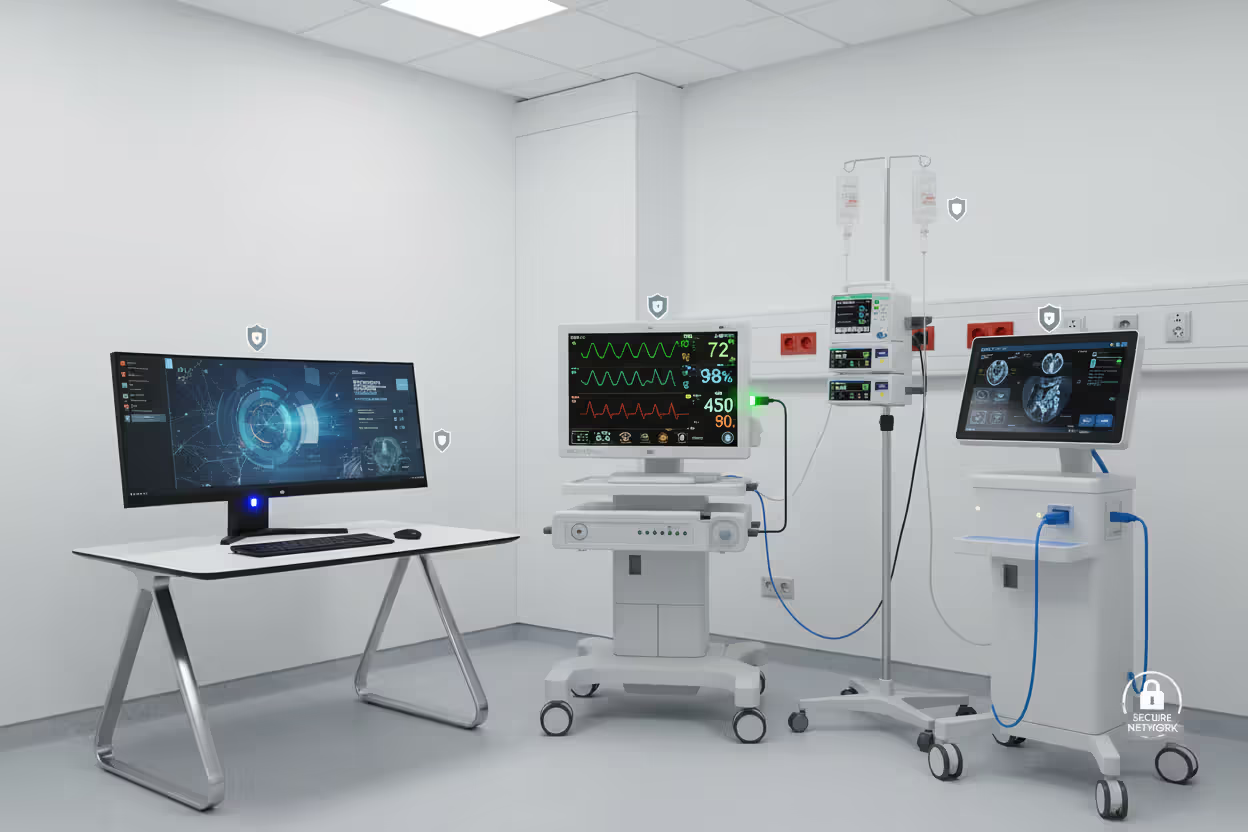
Healthcare organizations deal with particularly gnarly endpoint challenges. Medical devices—infusion pumps delivering medication, MRI machines, patient monitors—are absolutely endpoints, but they run ancient embedded operating systems. Can't patch them without voiding FDA approvals and manufacturer warranties. Can't install traditional security software because they lack resources and modifications aren't permitted.
How do hospitals cope? Network segmentation isolates medical devices on separate VLANs. Compensating controls like strict firewall rules and anomaly detection watch for unusual traffic. It's not ideal, but it's reality when you can't apply standard endpoint security.
Author: Ethan Caldwel;
Source: williamalmonte.net
Corporate BYOD policies create interesting scenarios. Employees want to use their personal phones for work email and Slack. Companies need to protect corporate data without controlling personal devices. Containerization splits the difference—creating secure "work" partitions on personal phones. The container gets encrypted, managed by MDM, and can be wiped remotely without touching personal photos and apps. When employees leave, IT deletes the work container, and everyone's happy.
Retail point-of-sale systems illustrate security versus performance trade-offs. These terminals must process payments fast—customers get cranky waiting. Heavy antivirus scanning every transaction? Creates unacceptable delays. Most retailers use application whitelisting instead. Only approved payment processing software can execute. Everything else is blocked by default. Lighter weight than constant scanning, but effective.
Industrial IoT presents scale nightmares. Manufacturing plants might have 10,000+ sensors and controllers monitoring production lines. Temperature sensors. Pressure monitors. Motor controllers. Conveyor systems. Each one's an endpoint, but they're tiny embedded devices that can't run security agents. Protection focuses on network-level controls—isolated OT networks separated from corporate IT, traffic monitoring looking for anomalies, strict access controls governing who can communicate with industrial endpoints.
Financial services firms face regulatory compliance requirements driving endpoint security decisions. Every endpoint must run approved security software, receive patches within documented timeframes, and pass regular compliance scans. Endpoints failing checks lose network access immediately—automated enforcement, no exceptions. Banks can't afford the fines or reputational damage from endpoint breaches.
Common Endpoint Security Challenges and Solutions
Shadow IT happens when people deploy endpoints or applications without IT involvement. Someone brings a Raspberry Pi from home to monitor server room temperature—that's an unapproved endpoint on your network. A team starts using Dropbox instead of approved file sharing—endpoints are now syncing sensitive data to unauthorized cloud services. Regular network scanning discovers rogue devices. Clear policies help, but so does making approved solutions easy to use. People go rogue when official channels are too slow or complicated.
Unpatched devices persist despite everyone knowing better. Organizations delay patches fearing they'll break business applications. Seen it happen too many times—critical patch bricks the accounting software, finance can't process payroll, everyone panics. A practical approach uses tiered deployment: critical security updates go to most endpoints quickly, but a small pilot group gets everything first. They're the canaries. If patches cause problems, you discover it on 20 machines instead of 2,000.

Author: Ethan Caldwel;
Source: williamalmonte.net
Lost or stolen devices create immediate risks. Remote wipe helps if devices check in before thieves extract data, but that's a big if. Full-disk encryption provides real protection—lost laptops become useless bricks without encryption keys. However, enforcing encryption requires vigilance because users disable it for that minor performance bump. Technical controls should prevent disabling encryption without IT approval.
Insider threats leverage legitimate endpoint access maliciously. Disgruntled employees download customer databases. Contractors steal intellectual property. User behavior analytics spots anomalies—employees suddenly accessing files outside their normal scope, downloading unusually large data volumes, or logging in at weird times from strange locations. Privileged access management restricts administrative capabilities so even insiders with access can't easily disable security monitoring.
Endpoint diversity complicates management tremendously. Your typical organization supports Windows PCs, Macs, Linux servers, iPads, Android phones, ChromeOS devices, and various IoT gadgets—each requiring different security tools and management approaches. Unified endpoint management platforms provide single interfaces for managing this zoo, though nothing covers everything perfectly. You'll always have some endpoints requiring specialized tools.
Resource constraints hit small organizations hardest. Startups and small businesses can't afford dedicated security teams monitoring endpoints 24/7. Managed detection and response services fill this gap—outsourced SOC teams watch your endpoints, investigate alerts, and respond to threats. Small companies get enterprise-grade protection without hiring specialized staff.
Comparison of Endpoint Types and Their Security Risks
| Endpoint Type | Common Examples | Primary Security Risks | Recommended Protection Methods |
| Desktop/Laptop Computers | Windows workstations, MacBooks, Linux machines | Malware delivery via phishing, ransomware encryption, credential theft, exploitation of unpatched software bugs | EDR platforms, full-disk encryption, automated patch deployment, application control policies |
| Mobile Devices | iPhones, Android phones, tablets | Device loss or theft, malicious app installation, man-in-the-middle attacks on public Wi-Fi, jailbreak/root exploits | MDM enforcement, remote wipe capabilities, app store restrictions, mandatory VPN usage |
| Servers | File servers, web application servers, SQL database hosts | Privilege escalation attacks, lateral movement from compromised endpoints, data exfiltration, exploitation of exposed services | Role-based access controls, OS hardening, continuous vulnerability assessment, network micro-segmentation |
| IoT Devices | Building automation systems, IP cameras, environmental sensors, industrial control systems | Factory-default credentials left unchanged, firmware never updated, lack of security patch availability, physical access vulnerabilities | Network isolation and segmentation, credential rotation and management, continuous traffic analysis, physical access restrictions |
| Point-of-Sale Systems | Payment card terminals, retail checkout computers | Payment card data interception, malware targeting transaction processing, network eavesdropping, RAM scraping attacks | PCI-DSS compliance verification, application whitelisting enforcement, network traffic isolation, transaction-level monitoring |
| Virtual Endpoints | VDI instances, Docker containers, virtual machines | Hypervisor exploitation, VM-to-VM escape vulnerabilities, resource exhaustion attacks, insecure snapshot storage | Hypervisor patching and hardening, virtual firewall policies, snapshot encryption, resource quota enforcement |
Frequently Asked Questions About Endpoints in Cybersecurity
Endpoints form the operational foundation of modern organizations—they enable everything from basic email to complex data analytics. They're also the primary battleground where security gets won or lost. Knowing what qualifies as an endpoint matters because you can't defend devices you don't recognize as part of your attack surface.
The endpoint landscape keeps evolving. New device categories emerge constantly. Work patterns shift, creating new endpoint security challenges. Organizations that maintain accurate endpoint inventories, apply risk-appropriate security controls, and maintain visibility into endpoint activities give themselves fighting chances against threats.
Stop treating all endpoints identically. A smart thermostat and your financial database server are both endpoints technically, but they deserve vastly different security investments. Risk-based prioritization beats checkbox compliance every time.
Companies succeeding at endpoint security treat it as ongoing processes rather than one-time projects. They regularly audit endpoint inventories—What's actually connecting to our network? What got added since last month? They update security controls as threats evolve. They train users on their roles in keeping endpoints secure because technical controls alone never suffice.
Endpoints will remain the primary attack surface for the foreseeable future. The organizations that grasp this reality and invest accordingly will weather the storm. Those still thinking in terms of network perimeters and trusted zones? They're fighting battles with outdated maps, and the results show.
Related Stories

Read more

Read more


The content on this website is provided for general informational and educational purposes only. It is intended to explain concepts related to endpoint security, cybersecurity practices, threat prevention, and security technologies.
All information on this website, including articles, guides, and examples, is presented for general educational purposes. Cybersecurity requirements and implementations may vary depending on organizational needs, infrastructure, regulatory requirements, and threat environments.
This website does not provide professional cybersecurity, legal, or compliance advice, and the information presented should not be used as a substitute for consultation with qualified cybersecurity professionals.
The website and its authors are not responsible for any errors or omissions, or for any outcomes resulting from decisions made based on the information provided on this website.