
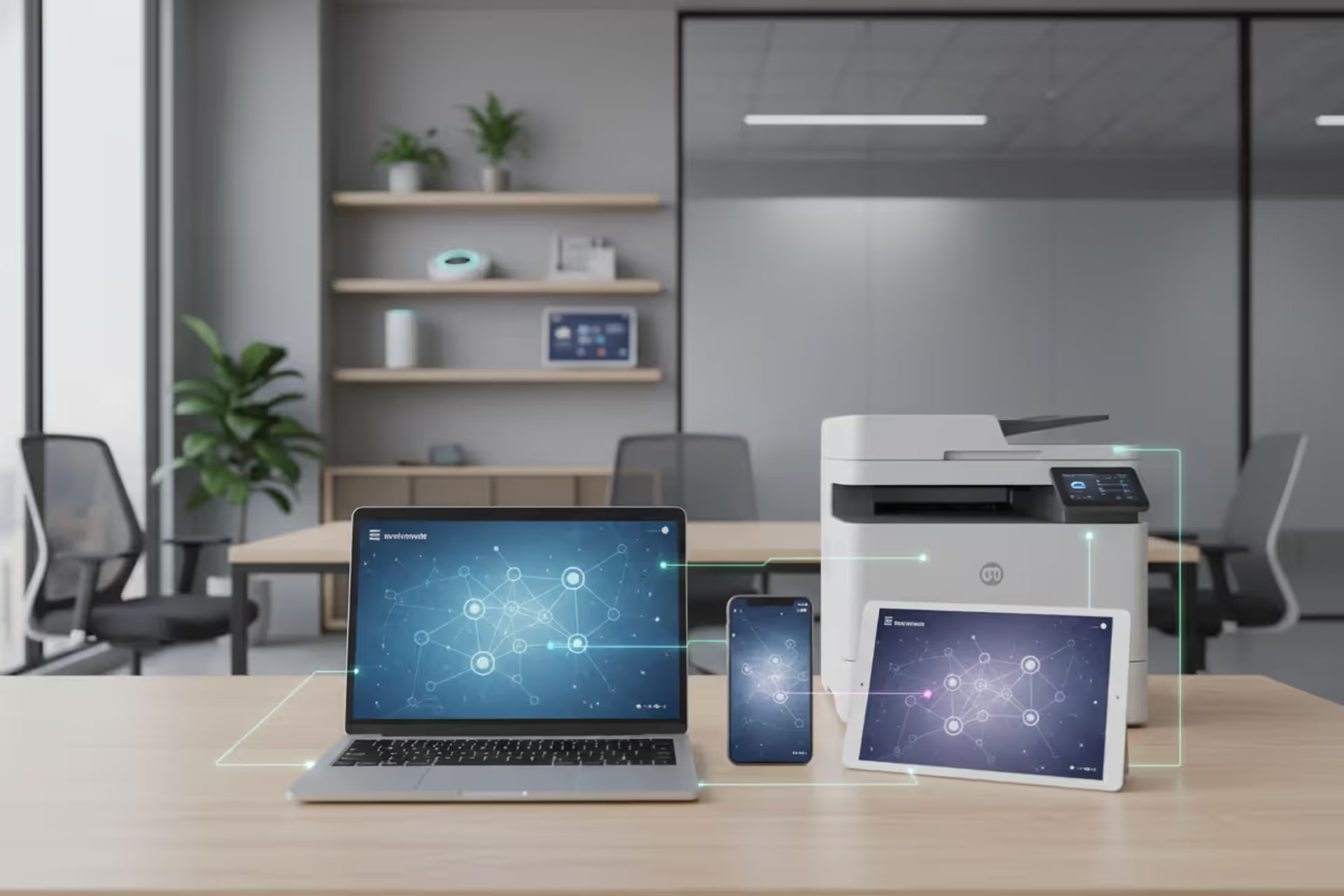
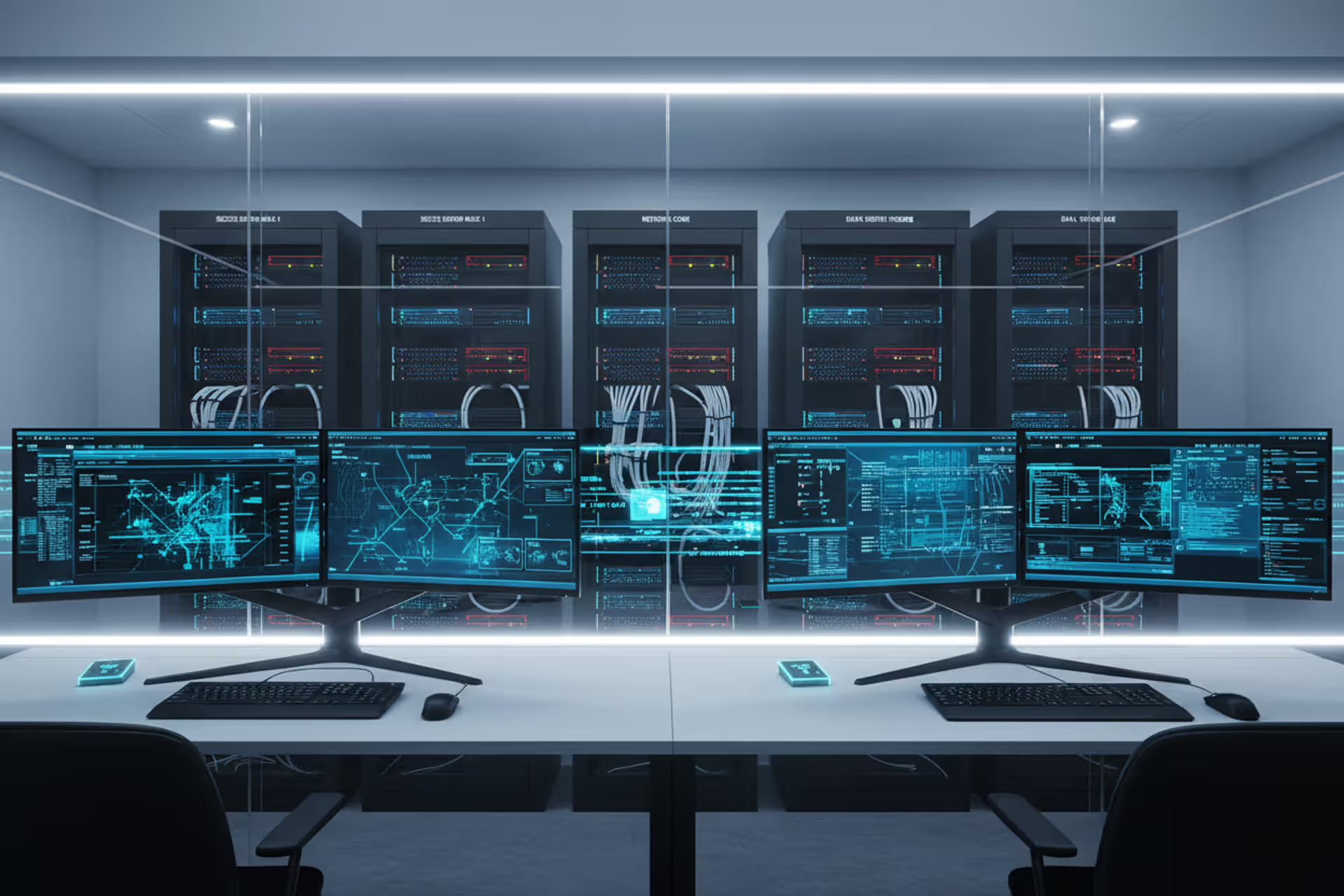
Multiple endpoint devices connected to a digital network
Endpoint Devices Guide

An endpoint device is any piece of hardware that connects to a network and serves as an interface between users and the broader IT infrastructure. These devices sit at the "end" of a network connection, hence the name. When you check email on your laptop, scan a document at the office printer, or unlock your phone to browse the web, you're using an endpoint device.
Endpoint devices explained in simpler terms: they're the tools people actually touch and use, as opposed to the behind-the-scenes infrastructure like routers, switches, and servers that keep data flowing. While a server processes requests and stores information centrally, endpoint devices make those requests and display the results. A database server running in a data center isn't an endpoint—but the tablet a warehouse worker uses to query that database absolutely is.
Understanding endpoint devices basics starts with recognizing their dual role. First, they provide functionality: a smartphone lets you make calls, a desktop computer runs business applications, a smart thermostat controls your HVAC system. Second, they act as network clients, sending and receiving data across local networks or the internet. This client status distinguishes them from network infrastructure. Your laptop requests a webpage; the web server delivers it. Your laptop is the endpoint, the server is not.
The distinction matters because endpoints represent the human-facing layer of any network. They're where productivity happens, where sensitive data gets created and consumed, and—critically—where security vulnerabilities most often emerge. A misconfigured firewall is a problem, but a stolen laptop with unencrypted customer records is a crisis.

Author: Ethan Caldwel;
Source: williamalmonte.net
Common Types and Examples of Endpoint Devices
Endpoint devices examples span a remarkably wide range, but they generally fall into several categories based on form factor and primary use case.
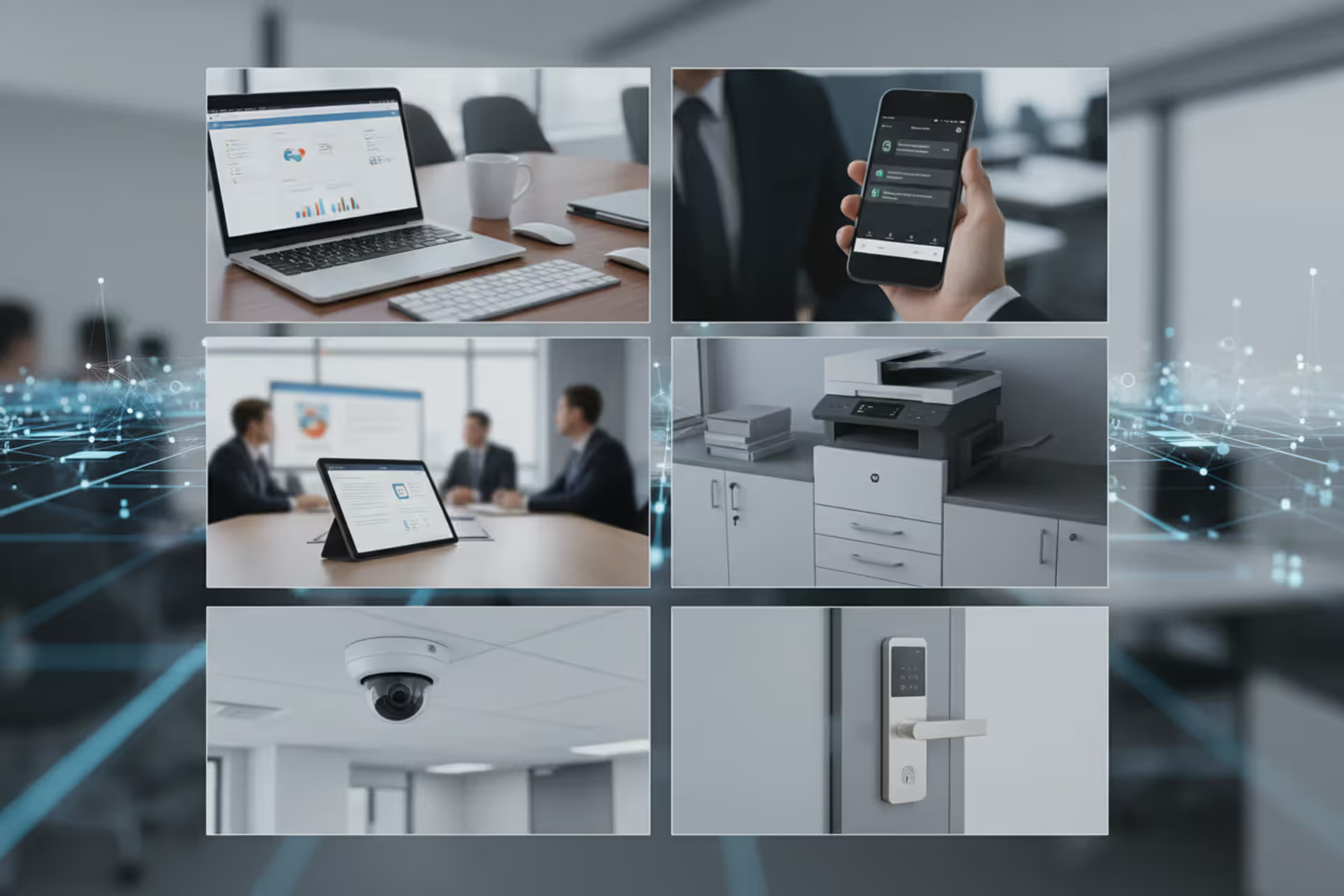
Desktop and laptop computers remain the workhorses of business environments. A financial analyst's workstation running Excel models, a graphic designer's MacBook Pro, or a call center agent's thin client terminal all qualify. These devices typically run full operating systems and connect via Ethernet or Wi-Fi.
Mobile devices include smartphones and tablets. An iPhone used to access corporate email, an Android tablet for inventory management in a retail store, or an iPad running point-of-sale software all serve as endpoints. Their portability introduces unique security challenges since they frequently move between trusted corporate networks and public Wi-Fi.
Printers and multifunction devices often get overlooked, but a networked printer accepting print jobs from dozens of employees is absolutely an endpoint. Modern printers store documents in memory, connect to cloud services, and run surprisingly complex firmware—all potential attack surfaces.
Internet of Things (IoT) devices represent the fastest-growing category. Smart security cameras streaming footage to cloud storage, connected HVAC systems adjustable via smartphone apps, industrial sensors monitoring factory equipment, and even smart refrigerators ordering groceries all function as endpoints. A hospital's connected insulin pumps or a city's smart parking meters fall into this category as well.
Point-of-sale (POS) terminals process credit card transactions at retail locations. These specialized endpoints handle sensitive payment data and must comply with strict security standards.
Voice-over-IP (VoIP) phones connect to networks to make calls. Unlike traditional landlines that use dedicated phone circuits, VoIP phones are true network endpoints.
Wearable devices like smartwatches and fitness trackers increasingly connect to corporate networks. An Apple Watch accessing company email or a medical-grade wearable transmitting patient vitals to hospital systems both qualify.
Servers acting as workstations blur the line slightly. A developer who logs directly into a server to write code is using it as an endpoint in that moment, even though the same machine might serve files to other users.
The average medium-sized business in 2026 manages anywhere from three to seven endpoint devices per employee when accounting for smartphones, laptops, desk phones, and shared devices like conference room displays.
How Endpoint Devices Connect and Communicate
How endpoint devices work within a network environment relies on a client-server model. The endpoint initiates a request—say, loading a website—and a server responds with the requested data. This seems simple, but the underlying process involves multiple steps and protocols.
When you open a browser on your laptop and type a URL, your endpoint device first needs to translate that human-readable address into an IP address using DNS (Domain Name System). Your laptop sends a DNS query to a DNS server, receives the IP address in response, then initiates a connection to that IP address using TCP/IP protocols. The web server responds by sending HTML, images, and other files back to your laptop, which renders them as a webpage.
This same request-response pattern applies across different scenarios. A smartphone checking for new emails connects to a mail server using IMAP or Exchange protocols. A smart thermostat sends temperature readings to a cloud platform via HTTPS. A retail scanner queries an inventory database to check product availability.
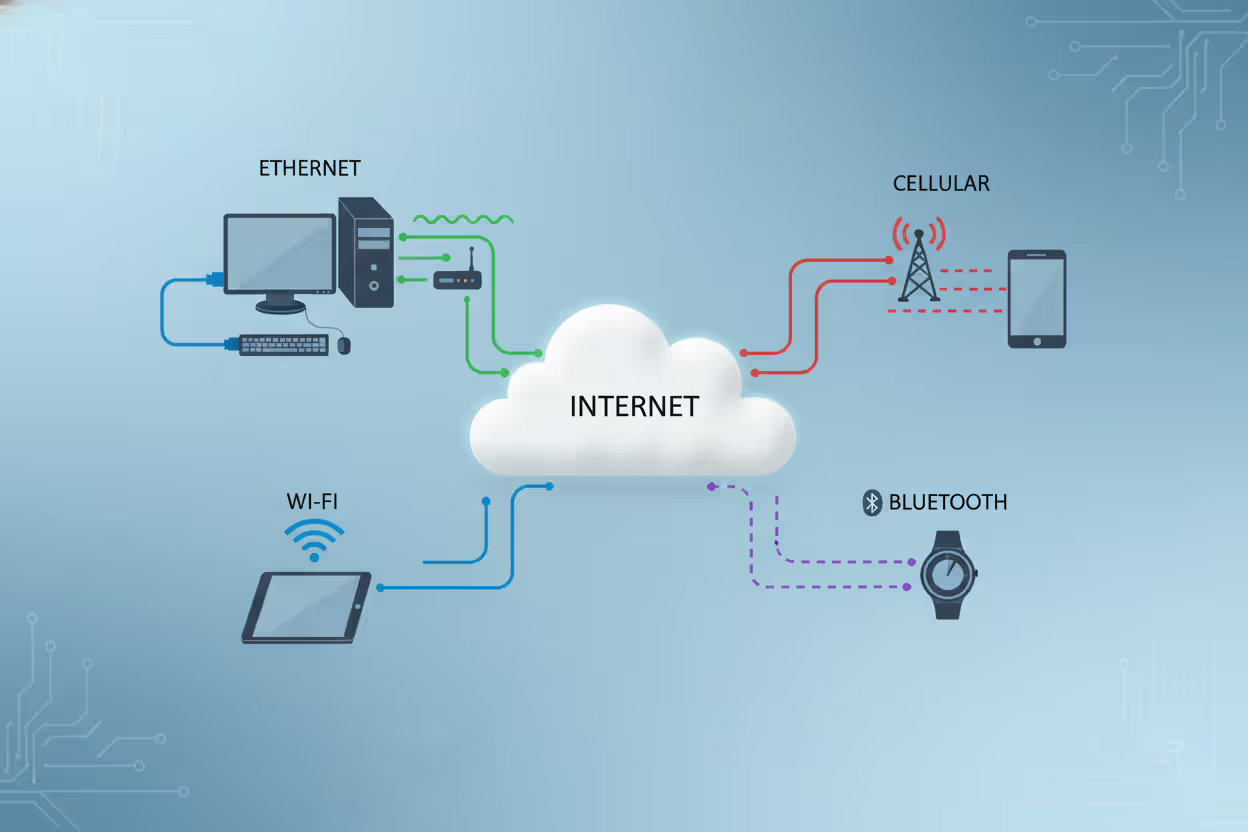
Endpoints connect to networks through various physical and wireless means. Ethernet cables provide wired connections with consistent speed and reliability—common for desktop computers and office printers. Wi-Fi offers wireless connectivity, essential for mobile devices and increasingly popular even for stationary equipment to reduce cabling costs. Cellular networks (4G, 5G) enable connectivity anywhere with coverage, critical for field service tablets or fleet management devices. Bluetooth handles short-range connections, like wireless keyboards or health monitors syncing to phones.
Author: Ethan Caldwel;
Source: williamalmonte.net
Network authentication ensures only authorized endpoints can connect. WPA3 encryption secures Wi-Fi connections. VPNs create encrypted tunnels when endpoints connect from untrusted networks. Certificate-based authentication verifies device identity before granting network access—particularly important in zero-trust security models where no device is trusted by default.
One common mistake: assuming all endpoints need constant connectivity. Many IoT sensors actually connect intermittently, sending batches of data at scheduled intervals to conserve battery and bandwidth. A soil moisture sensor in precision agriculture might report readings every six hours rather than maintaining a persistent connection.
Security Risks Associated with Endpoint Devices
Endpoints represent the largest attack surface in modern networks. Hackers rarely try to breach a well-defended data center directly when they can compromise an employee's laptop instead and use it as a beachhead.

Author: Ethan Caldwel;
Source: williamalmonte.net
Malware infections remain the most common threat. An employee clicks a phishing link, downloads a malicious attachment, or visits a compromised website, and ransomware encrypts their hard drive—or worse, spreads laterally across the network. The 2025 SolarStorm ransomware outbreak demonstrated how quickly malware can propagate from a single infected endpoint to hundreds of systems.
Unauthorized access occurs when attackers steal credentials or exploit weak authentication. A lost smartphone without proper screen lock protection gives thieves access to email, corporate apps, and stored files. Default passwords on IoT devices—still shockingly common on industrial sensors and security cameras—provide easy entry points.
Data leakage happens through both malicious and accidental means. An employee copies customer data to a personal USB drive that gets lost. A compromised endpoint exfiltrates intellectual property to an external server. A misconfigured printer stores sensitive documents in memory accessible via its web interface.
Outdated software creates vulnerabilities attackers actively scan for. A Windows laptop running an unpatched operating system, an Android tablet abandoned on an old OS version, or IoT devices with firmware that hasn't been updated in years all present known exploits that automated attack tools can easily find and exploit.
Physical theft poses particular risks for mobile endpoints. A stolen laptop might contain unencrypted files, saved passwords, or VPN credentials that bypass network security entirely.
Endpoints are vulnerable because they exist outside the controlled data center environment. They connect to untrusted networks, users install unapproved software, physical security varies wildly, and the sheer number of endpoints makes comprehensive monitoring difficult. A company might have robust firewalls and intrusion detection at the network perimeter, but if an employee's home router gets compromised while they're working remotely, attackers can pivot to the corporate VPN connection.
Zero-trust security models address this by assuming every endpoint is potentially compromised. Rather than trusting devices inside the network perimeter, zero-trust requires continuous verification of device health, user identity, and authorization for each resource accessed.
Managing and Protecting Endpoint Devices

Author: Ethan Caldwel;
Source: williamalmonte.net
Effective endpoint management combines technology, policy, and user education. Organizations deploy several overlapping solutions to maintain visibility and control.
Endpoint Detection and Response (EDR) platforms go beyond traditional antivirus by monitoring endpoint behavior for suspicious activity. Rather than just scanning for known malware signatures, EDR tools detect anomalies like unusual network connections, unauthorized privilege escalation, or file encryption patterns consistent with ransomware. When threats are detected, EDR can isolate the affected endpoint from the network automatically, preventing spread.
Mobile Device Management (MDM) solutions control smartphones and tablets, particularly important as remote work increases. MDM enforces security policies like requiring screen locks, encrypting data, and preventing installation of unapproved apps. Administrators can remotely wipe a device if it's lost or stolen, protecting corporate data even when the physical device is compromised.
Patch management ensures operating systems and applications stay current. Automated patch deployment reduces the window of vulnerability between when a security flaw is discovered and when it's fixed. The challenge: balancing rapid patching against the risk of updates breaking critical applications. A rule of thumb is to test patches in a controlled environment before broad deployment, but deploy critical security patches within 72 hours of release.
Network Access Control (NAC) verifies endpoint health before allowing network connections. An endpoint must demonstrate it's running current antivirus, has recent patches installed, and isn't exhibiting signs of compromise. Non-compliant devices get quarantined to a restricted network segment with limited access until issues are resolved.
Data Loss Prevention (DLP) monitors endpoints for sensitive information leaving the organization. DLP can block attempts to email customer data to personal accounts, copy files to USB drives, or upload intellectual property to cloud storage services.
Best practices for individuals include enabling automatic updates, using strong unique passwords (or better, a password manager), activating full-disk encryption, and avoiding public Wi-Fi for sensitive activities without VPN protection. For businesses, maintaining an accurate inventory of all endpoints is foundational—you can't protect what you don't know exists. Regular security awareness training reduces phishing success rates significantly; employees who can recognize suspicious emails prevent many infections before they start.
One often-overlooked aspect: decommissioning endpoints properly. A laptop reassigned to a new employee should have its drive securely wiped, not just deleted. Retired IoT devices should be factory reset and, if possible, physically destroyed to prevent data recovery.
The endpoint security landscape has fundamentally shifted. We're no longer defending a defined perimeter—we're protecting thousands of individual devices that could be anywhere. Organizations that treat endpoint security as an afterthought rather than a strategic priority are essentially leaving their front doors unlocked
— Maria Chen
Endpoint Devices vs. Network Devices
The distinction between endpoint and network devices confuses many people because both connect to networks, but their roles differ fundamentally.
Endpoint devices are where users interact with data and applications. They're the origin and destination of network traffic. You type on a keyboard, view information on a screen, scan a barcode, or speak into a microphone—these human interactions happen at endpoints.
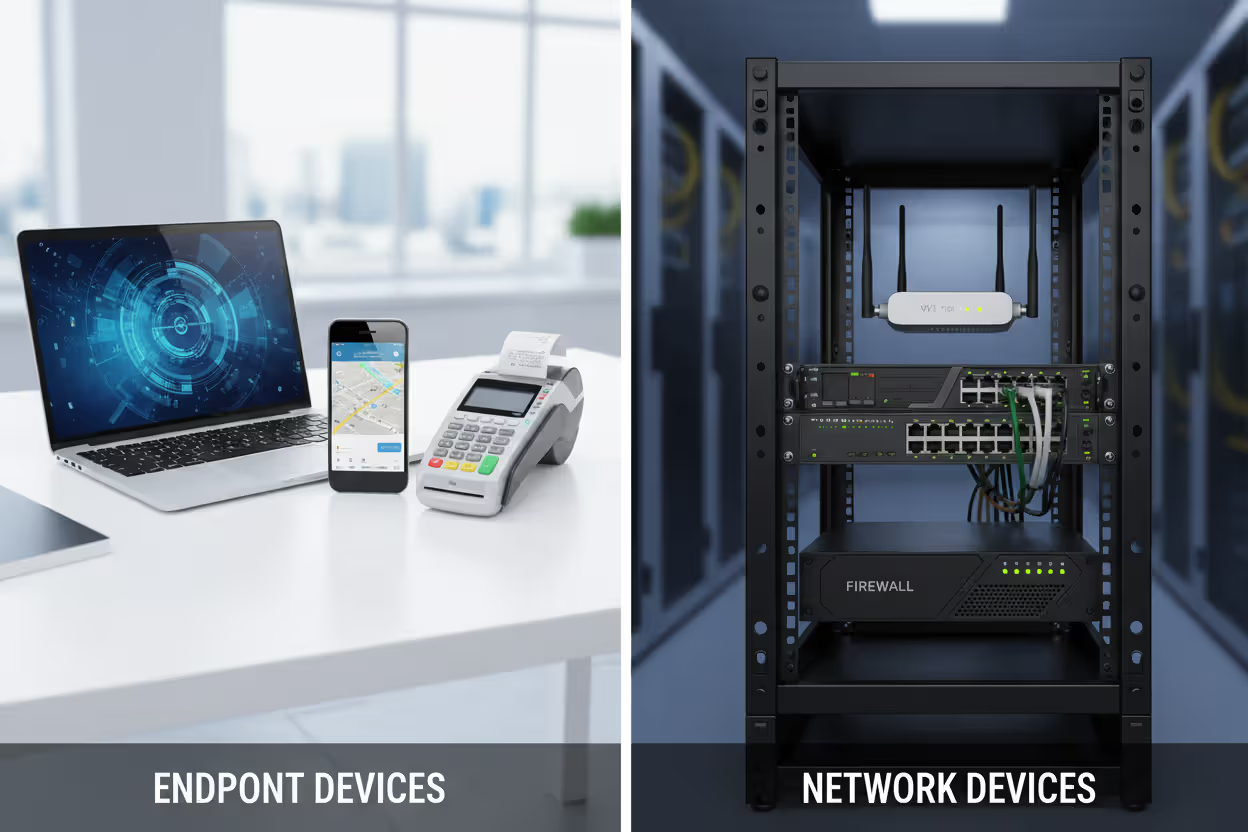
Network devices facilitate communication between endpoints and other network resources. They move, direct, and secure data in transit but don't typically generate or consume that data for end-user purposes. Routers determine the best path for data packets. Switches connect multiple devices on a local network. Firewalls filter traffic based on security rules. Load balancers distribute incoming requests across multiple servers.
Here's a practical test: ask whether a typical employee directly uses the device to accomplish work. A marketing manager uses a laptop to create presentations (endpoint). That same manager never directly interacts with the switch in the network closet that connects the laptop to the corporate network (network device).
| Device Type | Primary Function | Examples | User Interaction |
| Endpoint Devices | Generate, consume, or display data for users | Laptops, smartphones, printers, IoT sensors, POS terminals | Direct and frequent |
| Network Devices | Route, switch, filter, or secure data in transit | Routers, switches, firewalls, load balancers, access points | Minimal; typically configured by IT staff |
Some devices blur the boundary. A wireless access point is primarily a network device, but if an administrator logs into its web interface to change settings, it's temporarily functioning as an endpoint for that specific interaction. A server is usually infrastructure, but when a developer SSHs into it to run commands, it's being used as an endpoint.
The architectural distinction matters for security planning. Endpoint security focuses on protecting devices that users control and that might leave the physical premises. Network device security emphasizes configuration hardening, access control, and monitoring for unusual traffic patterns. You deploy EDR on endpoints; you configure access control lists on network devices.
Author: Ethan Caldwel;
Source: williamalmonte.net
Frequently Asked Questions About Endpoint Devices
Endpoint devices form the foundation of how we interact with digital systems in both personal and professional contexts. From the smartphone in your pocket to the industrial sensors monitoring a factory floor, these devices connect users to networks and enable the flow of information that drives modern organizations.
Understanding what qualifies as an endpoint, how these devices communicate, and where vulnerabilities emerge helps both IT professionals and everyday users make better security decisions. The proliferation of endpoints—especially IoT devices and mobile equipment—has expanded the attack surface organizations must defend while simultaneously making comprehensive endpoint visibility more challenging.
Effective endpoint management requires layered security: EDR for threat detection, MDM for mobile control, patch management for vulnerability reduction, and network access control for compliance verification. But technology alone isn't sufficient. User awareness, clear policies about acceptable use, and proper endpoint lifecycle management from deployment through decommissioning all contribute to a robust security posture.
The distinction between endpoints and network infrastructure helps clarify security responsibilities and architectural planning. While network devices move data, endpoints create it, consume it, and represent the points where human activity intersects with IT systems—making them both the most valuable and most vulnerable elements of any network.
As workforces become increasingly distributed and IoT deployments expand, the number and diversity of endpoint devices will continue growing. Organizations that invest in understanding their endpoint ecosystem, implement appropriate controls, and maintain visibility across their device inventory will be far better positioned to protect sensitive data and maintain operational resilience
Related Stories

Read more

Read more


The content on this website is provided for general informational and educational purposes only. It is intended to explain concepts related to endpoint security, cybersecurity practices, threat prevention, and security technologies.
All information on this website, including articles, guides, and examples, is presented for general educational purposes. Cybersecurity requirements and implementations may vary depending on organizational needs, infrastructure, regulatory requirements, and threat environments.
This website does not provide professional cybersecurity, legal, or compliance advice, and the information presented should not be used as a substitute for consultation with qualified cybersecurity professionals.
The website and its authors are not responsible for any errors or omissions, or for any outcomes resulting from decisions made based on the information provided on this website.