

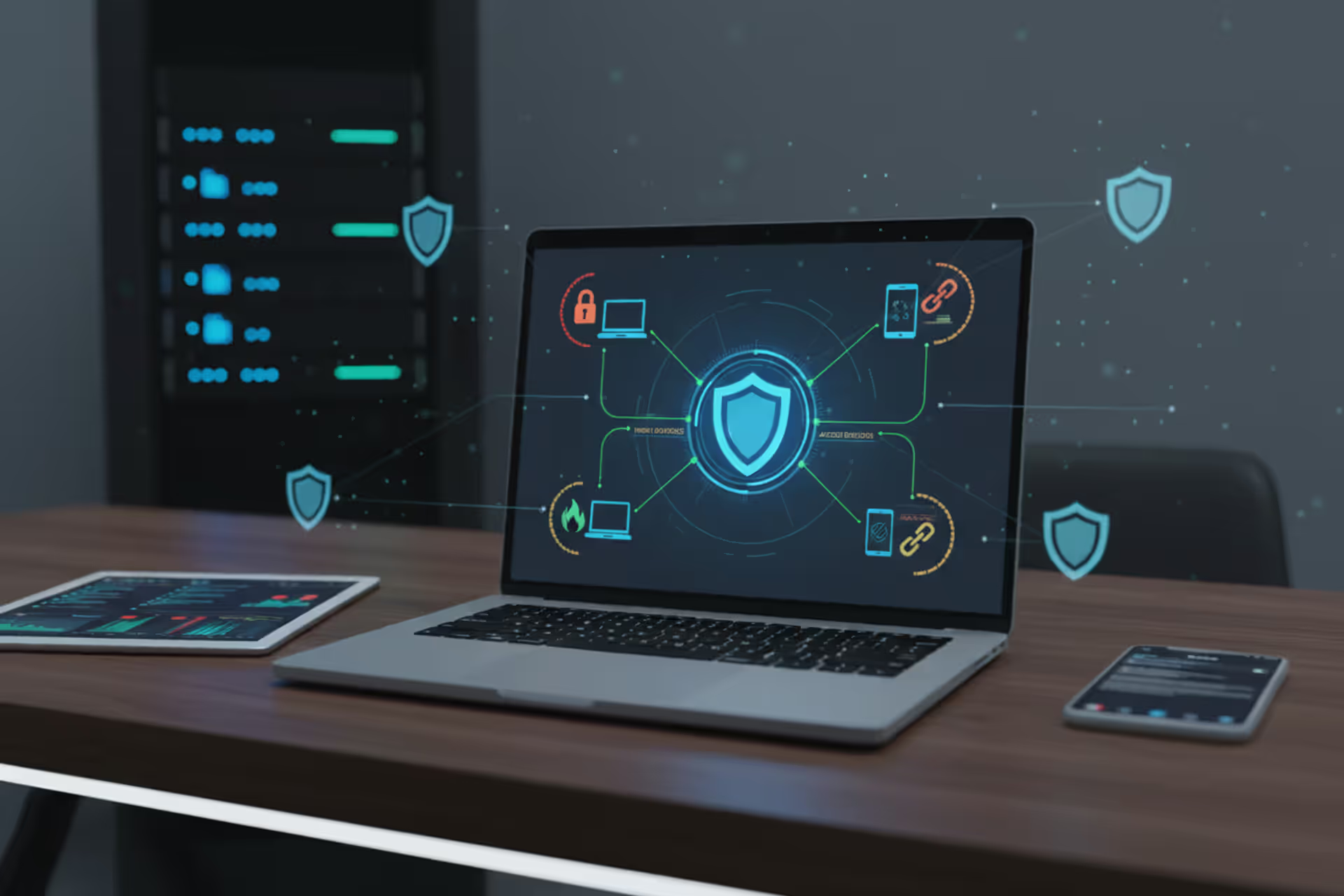
Endpoint security protecting laptops, phones, and servers
What Is an Endpoint Security Agent?

Picture this: every laptop, smartphone, and server in your company could be the gateway hackers use to steal your data. That's where endpoint security agents come in—software sentinels installed on each device, watching for threats and taking action before your business suffers a breach.
Understanding Endpoint Security Agents
An endpoint security agent is specialized software that lives on individual devices in your network—workstations, servers, laptops, mobile phones—constantly watching for threats and reporting back to a central command center. Consider it similar to having a security guard assigned to each device, except this guard never sleeps, never takes breaks, and processes thousands of events per second.
Why do companies bother installing these agents? The old approach of building a digital fortress around the network perimeter doesn't cut it anymore. Your employees work from home offices, airport terminals, and coffee shops. They access company files through personal devices and cloud applications that exist outside your traditional security boundaries. The perimeter has essentially evaporated.
That's precisely why endpoint agents matter—they stick with the device wherever it goes. Whether your sales rep is presenting from a client's office or your developer is coding from a beachside café, the agent continues providing protection regardless of network or location.
Here's what these agents actually do once installed: they watch everything happening on that device. Process launches, file changes, network traffic, attempts to modify system settings—all of it gets monitored. Spot something weird? Maybe a document suddenly trying to encrypt hundreds of files, or an application connecting to a server in a suspicious location? The agent can alert your security team, lock down the infected file, kill the malicious process, or completely isolate that device from your network.
Today's agents have gotten smarter too. They're not just matching files against a database of known viruses anymore (though they still do that). They use behavioral patterns, machine learning algorithms, and constantly updated threat intelligence to catch brand-new attacks that no one's seen before. Meanwhile, they're maintaining persistent connections back to management consoles, sending activity reports and receiving updated instructions in near real-time.

Author: Vanessa Keaton;
Source: williamalmonte.net
How Endpoint Security Agents Work
The technical mechanics behind endpoint security agents involve continuous surveillance combined with rapid automated responses. Different vendors build their agents differently, but you'll find common operational patterns across most products.
During installation, the agent embeds itself deeply into the operating system—often using kernel-level access or system API hooks to intercept events before they complete. This privileged position lets the agent observe literally everything: files being opened, programs starting, network packets flowing in and out, drivers loading, login attempts. The agent stores a local copy of threat signatures, behavioral rules, and security policies on the device itself, refreshing these regularly from the management server.
Key Components of an Endpoint Agent
Break open a typical endpoint agent and you'll find several specialized modules working together. The file scanner checks files both sitting idle and being accessed, comparing them against malware signatures while using pattern analysis to spot suspicious traits even in files it's never seen. The behavior watcher tracks what programs are doing—looking for red flags like Microsoft Word suddenly executing PowerShell commands or your web browser trying to read password databases.
Then there's the network component, which analyzes traffic leaving and entering the device. It blocks connections to known attacker infrastructure, suspicious domains, and unauthorized external services. The policy engine makes sure users comply with your organization's rules—blocking USB drives if that's policy, enforcing disk encryption, preventing unauthorized software installation, or restricting which websites employees can visit.
A local intelligence engine correlates observed events against known attack patterns, often using frameworks like MITRE ATT&CK to understand what attackers might be attempting. The communications module maintains secure channels to the management platform, streaming alerts and activity data while pulling down configuration changes and response commands.
Real-Time Threat Detection and Response
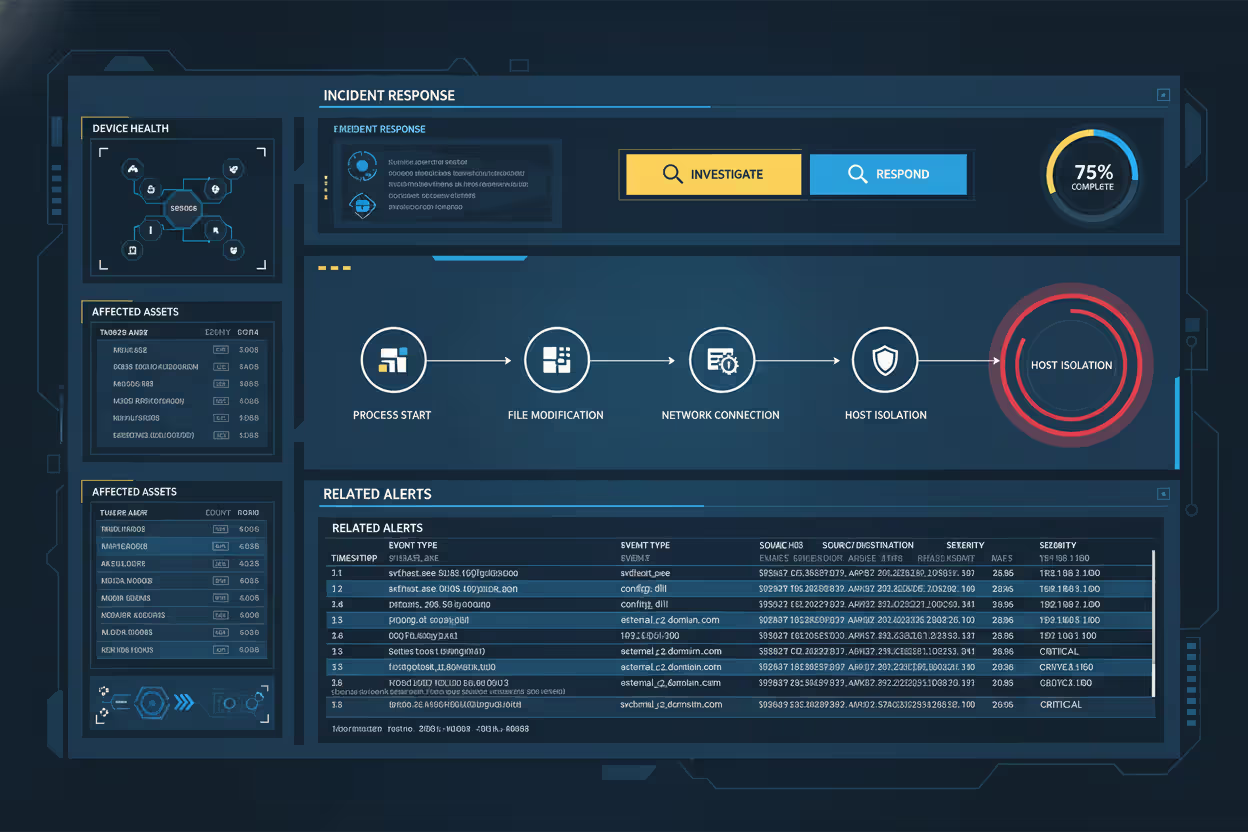
When an agent spots potential danger, it follows decision logic based on your configured policies and threat confidence levels. High-confidence detections—say, a notorious ransomware strain attempting file encryption—usually trigger immediate automated responses: kill the malicious process, quarantine infected files, alert the security operations center.
Gray-area situations need more nuanced handling. What if legitimate software suddenly behaves strangely? Perhaps a developer's code editor making unexpected network requests? The agent might log that activity for human review without blocking it, especially if the user has developer privileges or works on a designated testing system.
Meanwhile, the agent's building a forensic timeline—capturing process chains, file modifications, network connections, and user actions. This evidence becomes crucial during investigations, letting your security team reconstruct exactly how an attack unfolded and where it started. Some agents can even reverse malicious changes, restoring encrypted files from local backups or undoing harmful system modifications.
Author: Vanessa Keaton;
Source: williamalmonte.net
Common Types of Endpoint Security Agents
Most organizations run several different agent types simultaneously, each handling specific security needs. Knowing these categories helps you build layered endpoint protection.
Antivirus and anti-malware agents form your baseline defense layer. These focus on spotting and removing known malicious software through signature matching combined with pattern-based analysis. Sure, traditional antivirus has weaknesses against sophisticated attacks, but modern versions integrate cloud reputation lookups and behavior detection that dramatically improves their effectiveness.
Endpoint Detection and Response (EDR) agents deliver advanced investigation and threat hunting capabilities. Rather than just blocking known malware, EDR agents capture detailed activity logs from endpoints, letting security analysts hunt for attack indicators, investigate suspicious patterns, and coordinate responses to active incidents. These generate substantially more data and need trained security personnel to interpret their findings effectively.
Data Loss Prevention (DLP) agents watch and control how sensitive information moves around. They'll stop users from copying customer databases to USB drives, sending financial spreadsheets to personal email addresses, or uploading proprietary designs to unauthorized cloud storage. DLP agents classify information based on content patterns, usage context, and user permissions—then enforce policies that try to balance security with employee productivity.
Mobile Device Management (MDM) and Mobile Threat Defense (MTD) agents bring protection to smartphones and tablets. These enforce device configuration requirements, identify jailbroken or rooted devices, scan installed apps for malicious behavior, and guard against network attacks through VPN enforcement and malicious WiFi detection.
Endpoint Privilege Management (EPM) agents regulate administrative access on devices. They let users accomplish specific tasks requiring elevated permissions without handing over full administrator rights. This shrinks the attack surface since malware gains fewer capabilities even after successfully compromising a user account.
| Agent Category | What It Does | Where It Works Best | System Resources Used |
| Antivirus/Anti-malware | Scans for known malware using signatures and patterns | Every endpoint needs this baseline protection | 50-150MB memory; CPU spikes during scans |
| EDR (Detection & Response) | Captures detailed forensics; enables threat hunting | Companies with dedicated security teams | 200-500MB memory; generates substantial network traffic |
| DLP (Data Loss Prevention) | Watches and blocks sensitive information movement | Healthcare, finance, or any regulated industry | Medium impact; scans file content continuously |
| MDM/MTD (Mobile versions) | Enforces policies and detects threats on phones/tablets | Organizations supporting mobile workers | Lighter footprint; noticeable battery drain |
| EPM (Privilege Management) | Grants specific admin permissions without full access | Anywhere you're implementing least privilege | Minimal; only activates during elevation requests |
Endpoint Security Agent Examples in Action
Let me walk you through some real scenarios showing how these agents protect organizations.
A healthcare provider's agent spotted unusual file encryption patterns on a nurse's computer. Within three seconds, the agent recognized ransomware behavior patterns, killed the malicious process, disconnected that workstation from the network, and paged the security team. The rapid containment limited damage to just 47 encrypted files before spreading to shared network drives. Later forensics revealed the ransomware arrived via a phishing email attachment that had slipped past the email scanner.
At a financial services company, a DLP agent blocked what could've been a major data breach. An employee tried uploading a spreadsheet with 12,000 customer records to their personal Dropbox account. The agent recognized the sensitive data through content inspection, stopped the upload cold, and immediately notified the compliance team. Turns out the employee just wanted to work from home but violated policy by using unauthorized cloud storage. Rather than termination, this triggered additional security training—but the agent prevented sensitive customer data from escaping company controls.
A manufacturing firm's EDR agent caught a supply chain attack when legitimate software from a trusted vendor started making bizarre network connections to Eastern European infrastructure. The agent's behavioral analysis flagged this anomaly even though the software carried valid digital signatures. Security analysts dug into the alert and discovered the vendor's build environment had been compromised, producing trojanized updates. The manufacturer blocked that version across their entire device fleet and alerted the vendor, who confirmed the breach and rushed out clean updates.
An agent running on a remote worker's laptop detected credential theft attempts when malware tried accessing saved browser passwords and authentication tokens. The agent blocked memory access to these sensitive areas, stopped the malware from establishing persistence through system modifications, and automatically triggered a forced password reset for that user. The employee never even knew an attack occurred, but the agent's silent intervention prevented account takeover that could've given attackers deeper network access.

Author: Vanessa Keaton;
Source: williamalmonte.net
Deployment and Management Considerations
Rolling out endpoint security agents successfully takes careful planning around technical requirements, user impact, and day-to-day operational workflows.
Most companies push agents through their existing software distribution tools—System Center Configuration Manager, Microsoft Intune, Jamf for Mac environments, or similar platforms. Cloud-based agents often feature lightweight initial installers that download additional components after establishing the foothold. A few vendors still offer bootable deployment media for bare-metal installs or pre-boot scenarios. You'll need administrative privileges for installation, and depending on the agent's kernel-level integration, system restarts might be required.
Resource consumption swings wildly between agent types and vendors. A basic antivirus agent might sip 50-150MB of memory and barely touch the CPU when idle, with spikes during scheduled full-system scans. EDR agents performing continuous monitoring and telemetry streaming can gulp 200-500MB of memory and maintain 5-10% CPU utilization even during "normal" operation. Test agents on your actual hardware mix before company-wide rollout—especially critical for older systems or specialized devices like point-of-sale terminals running on minimal specs.
Compatibility testing prevents nasty conflicts with mission-critical applications. Certain industrial control systems, medical imaging equipment, and specialized lab instruments run software that doesn't play nice with security agents due to kernel interference or strict performance requirements. You'll need exception lists for these systems while implementing compensating controls like network isolation and enhanced perimeter monitoring around them.
Centralized management platforms provide that coveted single-pane-of-glass view for policy setup, alert management, and reporting across tens of thousands of endpoints. Administrators create policy tiers based on device role, user function, and data sensitivity—strict controls for executive laptops, more flexibility for developer workstations, locked-down settings for finance department systems. The platform consolidates alerts, correlates events across your endpoint fleet, and delivers dashboards showing protection coverage, emerging threat patterns, and compliance status.
Endpoint security agents have evolved from simple virus scanners into comprehensive visibility platforms that power your entire security operation. Companies that just install agents and forget about them are missing the point entirely. The activity data streaming from these agents fuels your threat hunting, drives your incident investigations, and enables the security analytics programs that separate mature security teams from those still fighting yesterday's battles
— Rachel Chen
Updates present ongoing operational puzzles. Vendors drop signature updates multiple times daily, with major feature releases arriving monthly or quarterly. You're balancing the need for current threat protection against risks that updates might destabilize systems. Many organizations stage rollouts carefully, deploying updates to pilot groups for a few days before broad release.
Common Challenges and Limitations
Endpoint security agents introduce trade-offs you'll need to acknowledge and actively manage.
Performance impact generates constant user complaints. Agents that cause application lag, extend boot times by 30 seconds, or trigger loud fan noise from sustained CPU activity will face user rebellion. Poorly tuned agents make systems feel sluggish—particularly during full disk scans or when processing massive files. Establish performance baselines before deployment and partner with vendors to optimize settings for your specific environment and hardware mix.
False positives create alert fatigue and destroy user trust in security tools. When agents repeatedly flag legitimate business software as dangerous or block employees from doing their jobs, people find workarounds or pressure IT to disable protections altogether. Tuning agents to hit that sweet spot between security and usability demands ongoing effort—incorporating user feedback and adjusting policies based on how your organization actually works.
Compatibility conflicts crop up when multiple security products compete for limited system resources or step on each other's toes. Running both an EDR agent and traditional antivirus simultaneously can cause duplicate scanning, fights over file quarantine decisions, or kernel-level collisions that blue-screen your systems. Vendors increasingly build compatibility with complementary products, but thorough testing of your specific combination remains essential.
Sophisticated attackers build agent evasion capabilities. Advanced malware can detect security agents through process enumeration, registry inspection, or behavioral fingerprinting techniques. Once detected, malware might alter behavior to avoid triggering alerts, attempt disabling or removing the agent, or simply refuse to execute entirely. Nation-state actors maintain entire libraries documenting evasion techniques for popular endpoint security products.
User pushback emerges when employees view agents as surveillance rather than protection. Privacy concerns intensify, particularly for agents installed on personal devices in bring-your-own-device programs. Transparent communication about what agents monitor, how that data gets used, and what privacy protections exist helps build employee acceptance.
Deployment gaps create dangerous blind spots in your security coverage. Devices that rarely connect to corporate networks—field service equipment, contractor laptops, executives who disable agents complaining about performance—lack current protection and policy enforcement. You need mechanisms to identify unprotected devices and enforce agent installation as a network access prerequisite.
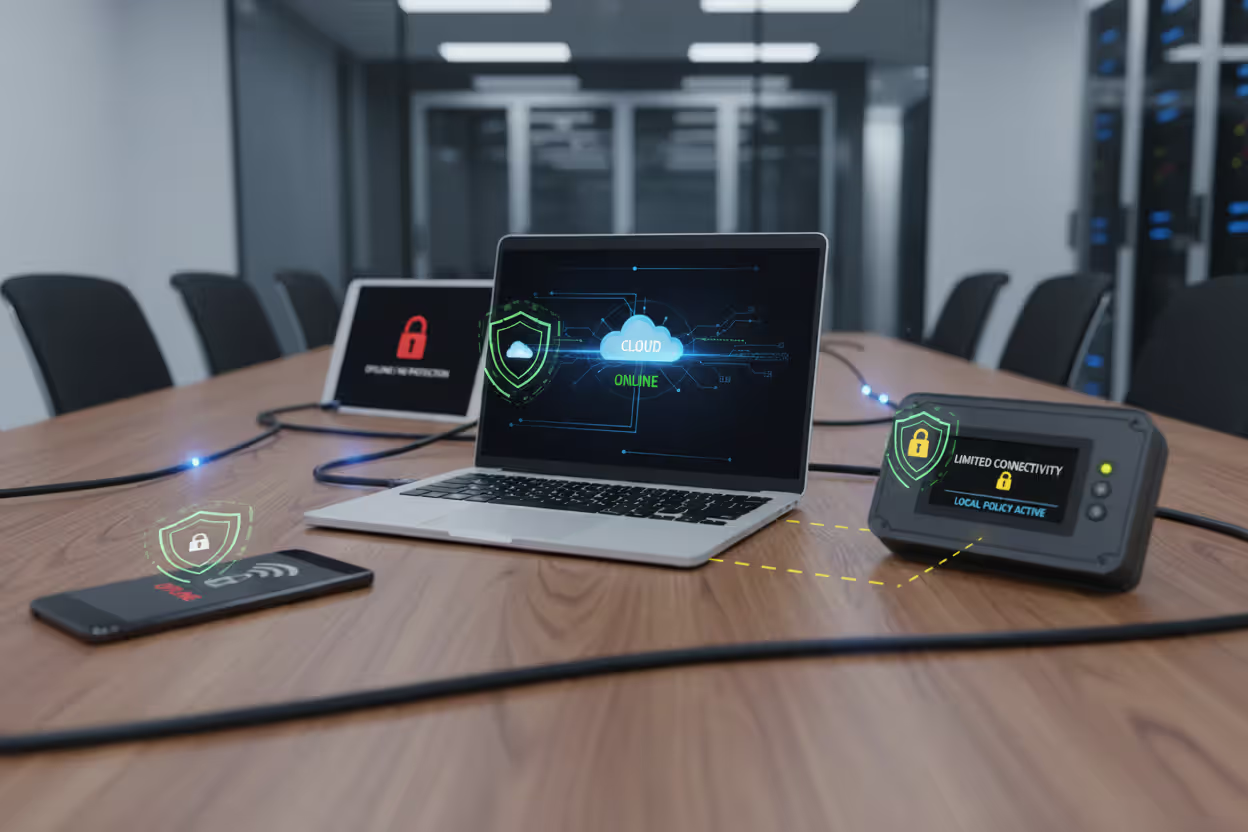
Offline capabilities vary dramatically across agent products. Some maintain strong protection when disconnected from management servers, relying on locally cached signatures and policies to keep working. Others degrade substantially without cloud connectivity, losing access to reputation lookups and updated threat intelligence. Organizations with frequently offline devices need agents specifically designed for intermittent connectivity scenarios.
Author: Vanessa Keaton;
Source: williamalmonte.net
Frequently Asked Questions About Endpoint Security Agents
Endpoint security agents now form the backbone of organizational cybersecurity programs, delivering protection directly where users work and data lives. These agents provide visibility into what's actually happening on devices, enforce your security policies, catch threats using multiple detection techniques, and enable fast response when incidents occur.
Choosing the right agent combination requires understanding your specific risk profile, compliance obligations, and operational realities. Antivirus agents establish baseline protection. EDR agents power advanced threat hunting and investigation. DLP agents guard sensitive information. Mobile agents extend security to the smartphones and tablets everyone carries everywhere.
Successful deployment means finding that balance between security effectiveness and both performance impact plus user experience. Test agents on your actual hardware. Tune configurations to reduce false alarms. Keep updates current. Communicate clearly about why agents exist and what they're doing.
Yes, agents have limitations and introduce challenges. But they remain among your most powerful tools for protecting distributed organizations against constantly evolving threats. As attack methods advance and work patterns keep shifting toward remote and mobile environments, endpoint agents will keep evolving too—providing the visibility and control security teams desperately need to protect what matters.
Related Stories
Read more

Read more


The content on this website is provided for general informational and educational purposes only. It is intended to explain concepts related to endpoint security, cybersecurity practices, threat prevention, and security technologies.
All information on this website, including articles, guides, and examples, is presented for general educational purposes. Cybersecurity requirements and implementations may vary depending on organizational needs, infrastructure, regulatory requirements, and threat environments.
This website does not provide professional cybersecurity, legal, or compliance advice, and the information presented should not be used as a substitute for consultation with qualified cybersecurity professionals.
The website and its authors are not responsible for any errors or omissions, or for any outcomes resulting from decisions made based on the information provided on this website.