

Endpoint security across corporate devices in a modern work environment
Endpoint Device Security Guide

Think about every device that connects to your company network right now. That sales rep's laptop at Starbucks. The warehouse manager's tablet. The CEO's smartphone checking email at midnight. Each one is a doorway that hackers try to pry open.
Cybercrime drained $8.4 trillion from the global economy in 2025. Here's the alarming part: compromised individual devices—not sophisticated network intrusions—caused nearly 70% of successful data breaches. Protecting these devices isn't optional anymore. It's survival.
What Is Endpoint Device Security
Endpoint device security is your strategy for defending individual devices against threats targeting their vulnerabilities, data, and network access. The term "endpoint" describes any gadget that serves as a communication point with your network infrastructure.
What counts as an endpoint? More than you'd think. Obviously, employee laptops and smartphones make the list. But so do servers, tablets, IoT sensors, point-of-sale terminals, medical imaging equipment, industrial control systems, printers, and even internet-connected security cameras. Anything with an IP address and network connectivity qualifies.
Why do attackers love targeting these devices? Location diversity makes centralized protection impossible. Your CFO's laptop might access sensitive financial data from a secure home office today, then from sketchy airport WiFi tomorrow, and from a hotel business center the next day. Traditional perimeter defenses can't follow devices everywhere they go.
The distributed workforce reality amplifies this challenge. When everyone worked from headquarters, your network firewall created a protective barrier. But 58% of knowledge workers now split time between home, office, coffee shops, and coworking spaces. That old security perimeter? It dissolved. Each device must now defend itself.
Human behavior creates the biggest wild card. Employees routinely click links in suspicious emails, install unauthorized browser extensions, choose "password123" for authentication, and plug personal USB drives into work computers. Your security approach must compensate for these inevitable mistakes.
The stakes keep rising as devices store more sensitive information locally. A stolen laptop doesn't just represent hardware loss—it potentially exposes customer records, financial documents, proprietary research, email archives, and saved credentials for critical systems.

Author: Ethan Caldwel;
Source: williamalmonte.net
How Endpoint Device Security Works
Protection happens through constant surveillance combined with intelligent threat detection and automated countermeasures that neutralize dangers before they spread.
The foundation is a security agent—compact software installed on every protected device. This agent maintains continuous communication with your central management system, streaming telemetry about device health, security events, and suspicious behaviors. It never sleeps, constantly examining file operations, network traffic, system registry modifications, and user actions.
Integration with your broader security infrastructure amplifies effectiveness. Say the agent spots something fishy on an accounting department laptop. It doesn't just handle the problem locally. It can immediately quarantine that device from your network, send urgent alerts to your security team, and automatically block the laptop from contacting any external servers associated with known attack campaigns. Defense becomes coordinated across your entire environment.
Machine learning analyzes behavior patterns across every device you protect. When ransomware starts encrypting files on Sarah's laptop in marketing, the system recognizes that behavioral signature. It can then prevent identical attacks from working on Tom's computer in sales, even if attackers are using a brand-new malware strain that's never been cataloged.

Author: Ethan Caldwel;
Source: williamalmonte.net
Key Components of Endpoint Protection
Effective protection layers multiple defensive strategies:
Prevention controls stop bad things from happening in the first place. Software whitelisting creates an approved application list—programs not on the list simply won't execute. Firewall configurations restrict which network connections devices can establish. Encryption scrambles data so stolen devices yield nothing useful. USB controls prevent employees from plugging in random thumb drives that might carry malware.
Detection capabilities spot threats that slip past your prevention measures. Behavioral monitoring flags unusual patterns—like when an accounting application that normally touches five files per hour suddenly starts modifying five hundred. Signature databases identify malware variants seen attacking other organizations. Sandbox technology runs questionable files inside virtual environments to safely observe what they actually do.
Response mechanisms contain and eliminate discovered threats. Automatic quarantine walls off infected devices. System rollback reverses machines to their pre-infection condition. Remote data erasure protects information on lost or stolen equipment. Investigation tools capture detailed evidence about how attacks unfolded.
Visibility and reporting give security teams the intelligence they need. Central dashboards display security status across all devices simultaneously. Notification systems alert administrators when critical events occur. Comprehensive logs document security-relevant activities to satisfy auditors and compliance requirements.
Detection and Response Process
Here's what actually happens when the system identifies a potential threat:
Initial classification determines severity. Minor oddities might just get logged for later review. Moderate concerns trigger alerts for security analysts to investigate. Serious threats kick off immediate automated containment.
For high-severity threats, the affected device gets isolated from your network within seconds. This quarantine prevents attackers from jumping to other systems. The security agent keeps running on the isolated device, though, gathering forensic details about the attack. Your security team receives comprehensive alerts describing the threat type, which files got touched, whose account was involved, and a complete timeline.
Analysts dig into the incident using tools that reveal process execution chains, network connection attempts, and file system changes. They determine whether the alert represents genuine danger or a false alarm. When confirming actual threats, they trace the infection source—maybe a phishing email, maybe a compromised website, maybe stolen login credentials.
Cleanup follows investigation. Malicious files get deleted or isolated. System changes get undone. Compromised passwords get reset immediately. Severe infections might require completely wiping and reimaging the device. After remediation, the device rejoins the network with heightened monitoring watching for any lingering compromise.
Documentation happens automatically throughout this entire sequence, creating audit trails and building threat intelligence for future defenses.
Common Endpoint Security Methods and Tools
Organizations mix and match various technologies to build layered defenses.
Antivirus and anti-malware software still forms the foundation despite its limitations. Today's antivirus goes well beyond simple signature matching—it includes heuristic analysis and behavioral pattern recognition. Sure, traditional antivirus struggles against zero-day exploits and sophisticated attack campaigns. But it effectively stops known malware variants and reduces the sheer volume of threats your security team must handle manually.
Endpoint Detection and Response (EDR) platforms deliver advanced hunting and investigation capabilities. EDR systems continuously record endpoint activities, building detailed timelines of everything happening on protected devices. When analysts suspect something's wrong, they can search across thousands of devices for specific attack indicators—particular file signatures, registry modifications, or network connection patterns. EDR excels at catching advanced persistent threats that traditional antivirus misses completely.
Mobile Device Management (MDM) brings security to smartphones and tablets. MDM platforms enforce policies like requiring device encryption, mandating PIN codes, blocking jailbroken devices, and controlling app installations. For bring-your-own-device scenarios, MDM creates secure containers that separate corporate information from personal data. When employees leave your company, you can remotely wipe just the work container—corporate email and documents vanish while personal photos and contacts remain untouched.
Encryption protects information whether devices are active or stolen. Full-disk encryption means laptop thieves can't access data without the decryption key—they're stuck with an expensive paperweight. File-level encryption safeguards particularly sensitive documents. Email encryption secures messages during transmission. The tradeoff: encryption requires processing power and complicates data recovery if keys get lost.
Access controls define exactly what users can do on their devices. Following least-privilege principles means granting only the minimum permissions each person needs for their job. Removing local administrator rights prevents most employees from installing unauthorized software—cutting off a major malware infection pathway. Additional authentication factors beyond passwords add verification steps that stolen credentials alone can't bypass.
Patch management maintains current security updates across operating systems and applications. Unpatched security flaws create easy pathways for attackers to exploit. Automated deployment keeps updates flowing consistently to every device. The catch: patches occasionally break software compatibility, so smart organizations test updates on a few machines before rolling them out company-wide.
Web filtering prevents access to dangerous sites and enforces usage policies. URL reputation databases track known phishing pages, malware distribution sites, and command-and-control servers. This filtering layer can also support acceptable use policies—some organizations restrict social media or video streaming during business hours.
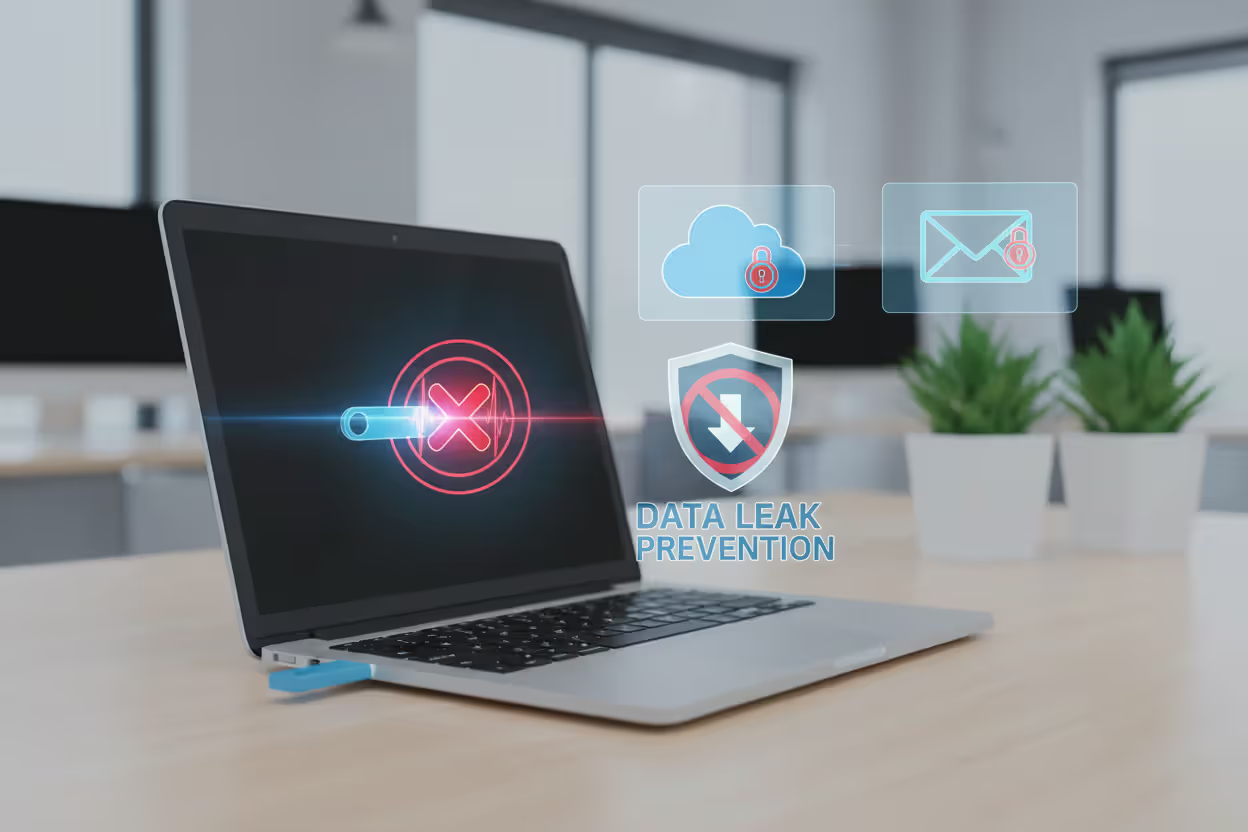
Data Loss Prevention (DLP) watches information movement to prevent sensitive data from escaping your organization. DLP systems can stop employees from uploading confidential documents to personal Dropbox accounts, emailing customer lists to personal Gmail addresses, or copying proprietary files to USB drives. Rules work through content inspection—scanning for credit card numbers, social security digits, or documents tagged as confidential.
Author: Ethan Caldwel;
Source: williamalmonte.net
Endpoint Device Security Examples in Practice
Real implementations show how organizations protect devices across different scenarios.
Remote workforce protection: A financial services company with 3,000 remote workers installed EDR across all company laptops. One afternoon, an employee clicked a phishing link that downloaded credential-stealing malware. Within seconds, the EDR agent spotted the malicious payload trying to phone home to its command server. The system instantly cut that laptop off from the corporate network, stopping the attack from reaching customer financial records. Security analysts remotely investigated the incident, cleaned the infection, and restored network access—without the employee driving to an office. Total response time: 45 minutes instead of the multi-day nightmare their old security approach required.
Healthcare device security: A hospital network includes thousands of connected devices beyond typical computers: MRI machines running Windows XP, insulin infusion pumps, patient vital sign monitors, and administrative workstations. Many medical devices can't accept security updates because of regulatory certifications and vendor support limitations. The hospital implemented network segmentation that isolates medical equipment on separate network zones with strict traffic rules. EDR protects administrative systems that can support modern agents. Whitelisting on clinical workstations prevents unauthorized program execution. When ransomware infected the billing department through a phishing email, network segmentation blocked its spread to medical devices. Patient care continued without interruption.
Retail point-of-sale security: A retail chain operating 500 locations uses specialized POS terminals for credit card processing. These devices are prime targets for criminals hunting payment card information. The company deployed security agents that watch POS systems for memory-scraping techniques—attackers use this method to grab card data before encryption happens. Whitelisting ensures only approved POS applications can run. Network monitoring catches unusual outbound connections that might indicate stolen data leaving the network. When attackers compromised one store's POS system, security alerts fired within hours. The team isolated all terminals at that location, limiting exposure to roughly 2,000 transactions instead of potentially millions across the chain.
BYOD policy implementation: A tech startup lets employees use personal smartphones and laptops for work, cutting equipment costs significantly. They deployed MDM that builds secure containers on personal devices. Corporate email, documents, and applications live inside these encrypted containers with separate authentication. Employees use their personal gear however they want, but corporate information stays under IT control. Lost phone? IT remotely wipes only the work container. Employee resignation? Corporate access disappears instantly while personal devices keep working normally. This balances employee device preferences against security requirements.
Common Endpoint Security Risks and Vulnerabilities
Despite protective measures, devices face ongoing threats exploiting both technical weaknesses and human nature.
Malware includes viruses, worms, trojans, spyware, and countless variations designed to damage systems or extract information. Modern malware strains employ polymorphic techniques—changing their code signature with each infection to dodge signature-based detection. Some malware variants exist only in system memory, never writing to disk and therefore avoiding traditional antivirus scans. Sophisticated malware often lies dormant for weeks after initial infection, activating only after security tools stop actively searching.
Ransomware locks up files through encryption and extorts payment for decryption keys. Attackers increasingly steal data before encrypting it, then threaten public data dumps if victims refuse payment—security experts call this "double extortion." Ransomware spreads aggressively through networks, encrypting shared drives and backup repositories. The average 2025 ransomware incident cost organizations $2.3 million when accounting for downtime, recovery expenses, and ransom payments.
Phishing attacks manipulate users into surrendering credentials or executing malware. Spear phishing campaigns target specific individuals with customized messages appearing to originate from trusted sources. Picture this: your accounts payable clerk receives what looks like an urgent email from the CFO requesting an immediate wire transfer. The email displays your company logo, comes from a similar-looking address, and uses appropriate language. But clicking the included link leads to a fake login page harvesting credentials—or downloads malware directly.
Unpatched vulnerabilities hand attackers easy entry points on a silver platter. Criminals constantly scan for systems running outdated software with published security flaws, then exploit those weaknesses. The 2025 MOVEit vulnerability enabled attackers to breach over 1,000 organizations specifically because many delayed applying available patches. Software vendors release security patches after discovering vulnerabilities—delaying installation essentially gives attackers a detailed exploitation roadmap.
Lost or stolen devices expose information unless properly protected. A laptop forgotten at airport security or grabbed from a rental car contains emails, cached documents, saved passwords, and VPN credentials. Without full-disk encryption, thieves extract data by simply removing the hard drive and reading it directly. Even screen locks provide minimal protection against determined attackers with proper tools.
Insider threats originate from employees, contractors, or partners holding legitimate access. Malicious insiders might steal intellectual property before jumping to competitors, sabotage systems following termination, or sell network access to external criminals. More commonly, careless insiders trigger breaches through negligence: choosing weak passwords, disabling inconvenient security features, or falling for social engineering scams.
Shadow IT describes unauthorized applications and services employees adopt without IT approval. An employee might sync confidential documents to personal Dropbox for convenient access from home, or communicate with clients through unapproved messaging apps. These services completely bypass your security controls and leak data. Research from 2025 found average enterprises use 371 different cloud services, but IT departments know about only 42% of them.
Misconfigured devices open security holes through incorrect settings. Default passwords never changed, unnecessary services left enabled, firewall rules configured too permissively, or security features disabled for convenience—all create attack opportunities. Many breaches result from basic configuration mistakes rather than sophisticated hacking techniques.

Author: Ethan Caldwel;
Source: williamalmonte.net
How to Choose an Endpoint Security Solution
Selecting the right platform means matching your organization's specific needs against solution capabilities.
Scalability determines whether a solution grows alongside your organization. A 50-person startup needs something completely different from a 50,000-employee enterprise. Cloud-based platforms typically scale more smoothly than on-premise deployments. Think beyond your current device count—where will you be in three to five years? Some vendors charge per device, making expansion painful. Others offer flat-rate licensing that accommodates growth more affordably.
Compatibility ensures the solution meshes with your existing technology. Verify support for every operating system you use—Windows, macOS, Linux, iOS, Android, and any specialized systems. Check integration with your network gear, identity management platforms, and SIEM tools. Can the endpoint security platform share threat intelligence with your firewall, email gateway, and other security infrastructure?
Automation lightens the load on security teams. Seek solutions that respond to threats automatically without requiring manual intervention for every single alert. Automated quarantine, isolation, and cleanup capabilities let small security teams protect large environments effectively. Balance automation against control, though—you should customize automated responses to match your specific risk tolerance.
Compliance support helps satisfy regulatory requirements. Healthcare organizations need HIPAA compliance frameworks. Financial services firms must meet GLBA and PCI DSS standards. Government contractors face NIST or CMMC requirements. Your endpoint security platform should generate audit logs, provide compliance reports, and offer configurations implementing required controls. Some vendors package pre-configured compliance templates that jump-start implementation.
Vendor reputation and support determine long-term success or frustration. Evaluate vendors on track record: How long have they operated? What do independent testing laboratories report about their threat detection accuracy? How quickly do they respond when new threats emerge? Read customer reviews focusing specifically on support quality—when you're battling an active breach, responsive support becomes absolutely critical. Consider vendor financial stability too. Acquisitions or bankruptcies can leave you without support for critical security infrastructure.
Performance impact affects user productivity and satisfaction. Security agents consume CPU cycles, memory, disk operations, and network bandwidth. Poorly optimized agents slow devices noticeably, frustrating users and tempting them to disable protection. Request performance benchmarks and, when possible, pilot solutions on representative devices before committing.
Total cost of ownership extends well beyond license fees. Calculate deployment expenses, training costs, ongoing management overhead, and any infrastructure upgrades required. Cloud solutions typically carry lower upfront costs but higher recurring subscription fees. On-premise deployments need server hardware and maintenance staff but might cost less long-term for large organizations. Watch for hidden expenses: integration work, professional services for deployment, additional staff if the solution demands significant management attention.
Threat intelligence quality varies dramatically between vendors. Top-tier endpoint security platforms leverage global threat intelligence networks, analyzing attacks across millions of protected devices to identify emerging patterns. This collective intelligence enables faster detection of new threats. Evaluate how frequently vendors update threat signatures and behavioral detection rules.
Organizations that integrate endpoint security with broader security operations see 60% faster threat detection and response times compared to those using siloed point solutions. The endpoint has become the new perimeter, and security strategies must reflect that reality
— Forrester Research Principal Analyst Allie Mellen
Frequently Asked Questions About Endpoint Device Security
Endpoint device security has transformed from basic antivirus scanning into sophisticated platforms detecting, responding to, and preventing advanced threats. As endpoints multiply and workforces scatter geographically, these devices simultaneously represent your greatest vulnerability and your primary defensive layer.
Effective protection combines multiple strategies—prevention, detection, response, and recovery—working together to defend devices regardless of physical location. The specific technologies and approaches you select should align with your organization's size, risk profile, and technical capabilities.
Begin with fundamentals: install protection on every device, enable encryption everywhere, enforce strong authentication, and maintain current security patches. Build additional layers based on your threat environment and compliance obligations. Remember that endpoint security isn't a one-time project but an ongoing program demanding regular updates, active monitoring, and continuous refinement.
Investment in endpoint security delivers returns beyond prevented breaches—reduced cyber insurance premiums, maintained customer confidence, and satisfied compliance auditors. As cyber threats continue evolving in sophistication and frequency, endpoint security remains your essential defense protecting the devices your business operations depend on every single day.
Related Stories

Read more

Read more



The content on this website is provided for general informational and educational purposes only. It is intended to explain concepts related to endpoint security, cybersecurity practices, threat prevention, and security technologies.
All information on this website, including articles, guides, and examples, is presented for general educational purposes. Cybersecurity requirements and implementations may vary depending on organizational needs, infrastructure, regulatory requirements, and threat environments.
This website does not provide professional cybersecurity, legal, or compliance advice, and the information presented should not be used as a substitute for consultation with qualified cybersecurity professionals.
The website and its authors are not responsible for any errors or omissions, or for any outcomes resulting from decisions made based on the information provided on this website.