

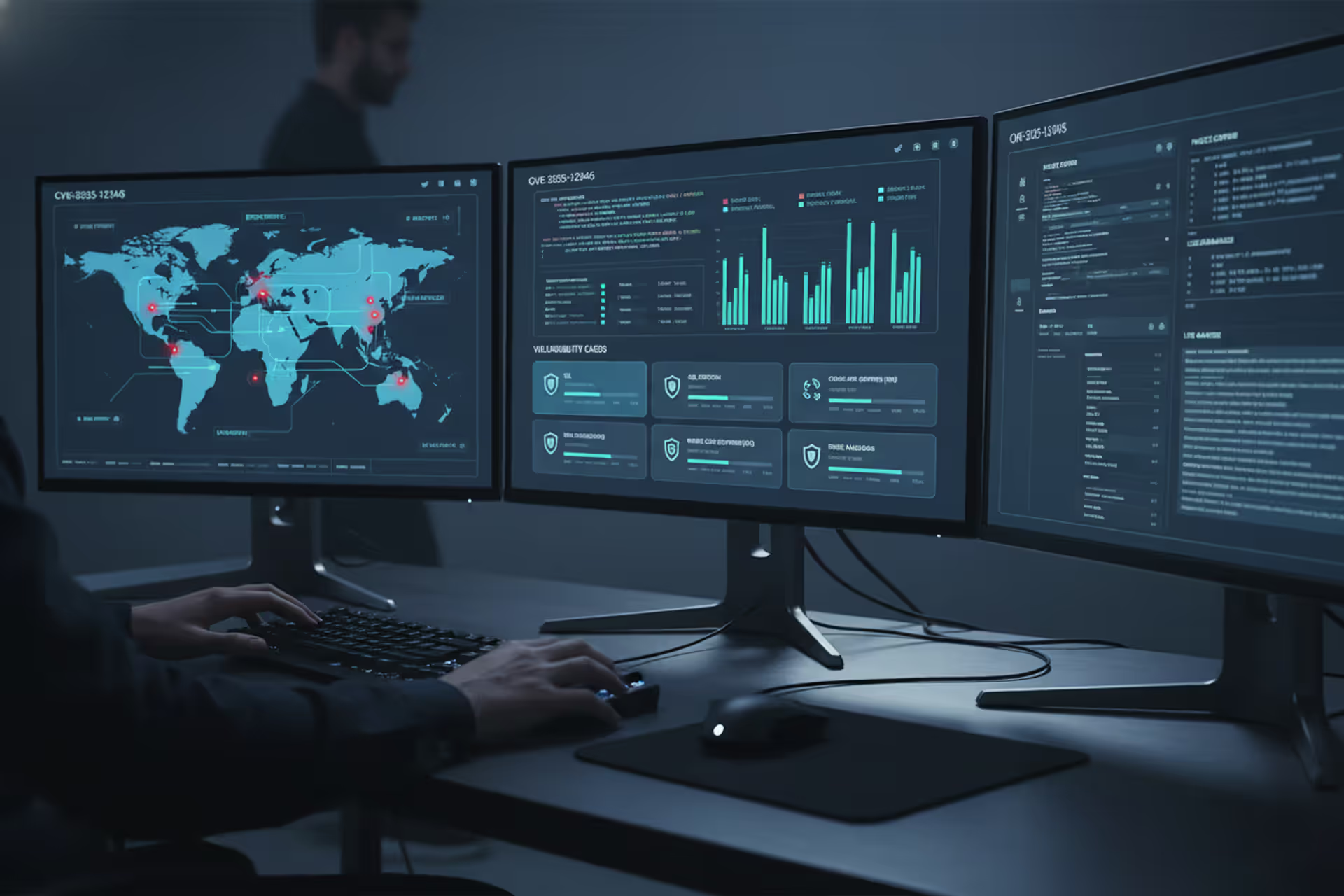
Data loss prevention dashboard protecting email, cloud, and endpoint data
DLP Cyber Security Guide

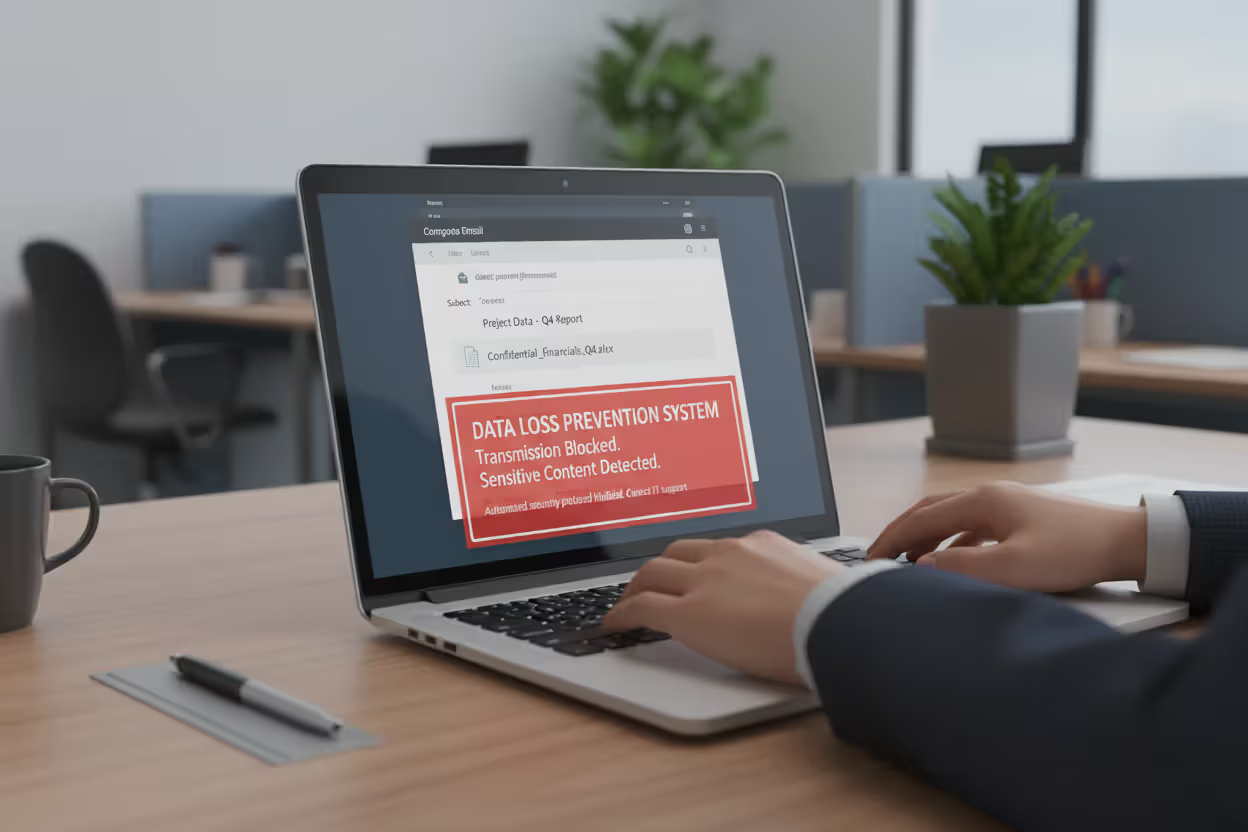
Your finance manager accidentally forwards a spreadsheet containing 50,000 customer credit card numbers to the wrong email address. A departing engineer downloads three years of proprietary source code to a USB drive. A remote sales rep uploads the entire client database to their personal Dropbox. These scenarios happen daily at companies worldwide, and data loss prevention systems exist to stop them before damage occurs.
DLP technology watches how your data moves—tracking emails, file transfers, cloud uploads, and USB connections. When someone tries moving sensitive information somewhere it shouldn't go, the system intervenes. The difference between implementing DLP effectively and treating it as another security checkbox determines whether you're actually protecting data or just pretending to.
What Is DLP Cyber Security?
Think of data loss prevention (DLP) as a security guard who knows exactly which documents can leave the building and which must stay inside. DLP cyber security combines software tools with business rules to prevent sensitive information from ending up in the wrong hands—whether through employee mistakes, malicious insiders, or external attacks.
Here's what makes understanding dlp cyber security basics essential: your data doesn't sit still. Right now, it exists in three different states, each vulnerable in unique ways.
Data in motion travels across networks when employees send emails, upload files to websites, or transfer information between systems. Data at rest lives on servers, databases, laptops, and phones—stored but not actively moving. Data in use means someone is currently accessing, editing, or working with information.
Author: Ethan Caldwel;
Source: williamalmonte.net
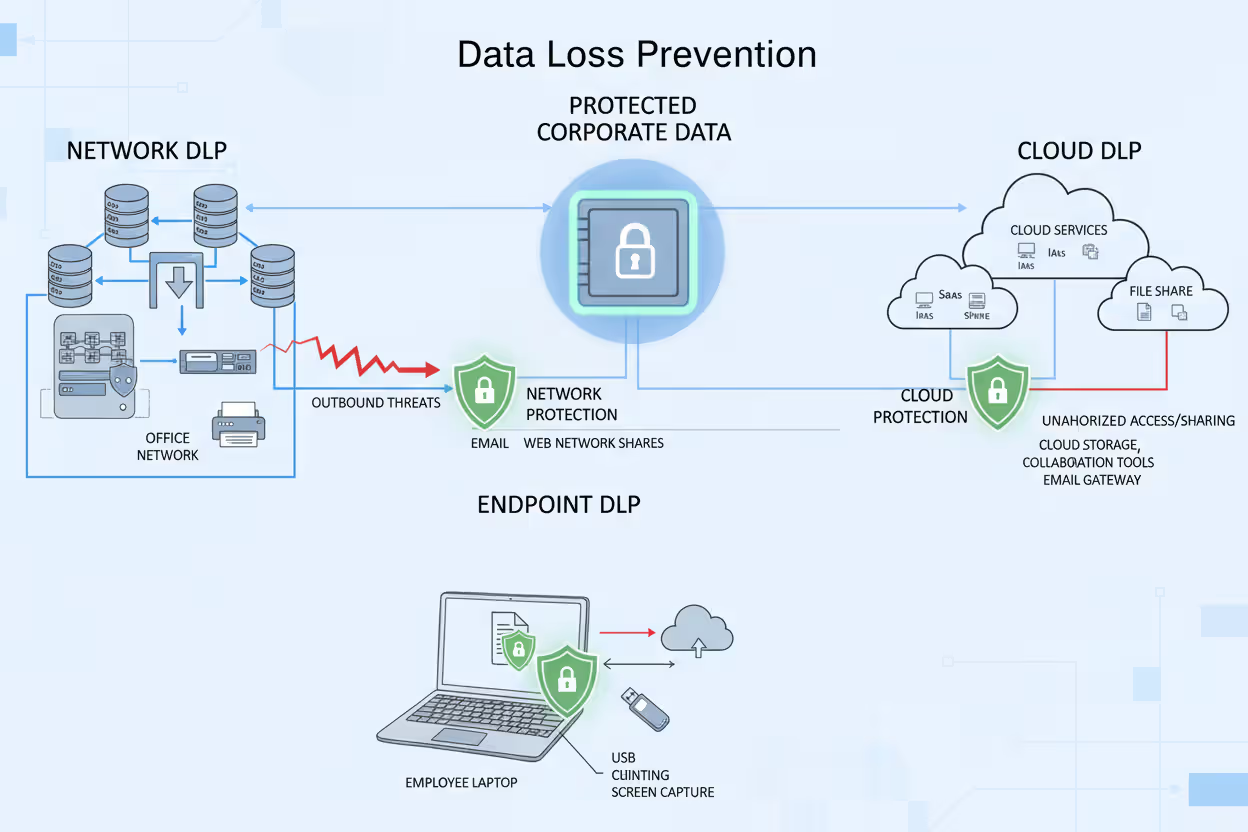
You can't protect all three states with a single approach. That's why DLP splits into three categories:
Network DLP acts like a customs checkpoint at your network's borders. It examines everything trying to leave—outbound emails, web uploads, instant messages, file transfers. These systems typically sit where your internal network connects to the internet, scanning traffic against policy rules before allowing data through. Send an email with 500 social security numbers to a Gmail address? Network DLP catches it.
Endpoint DLP lives on individual computers, phones, and tablets. It doesn't care whether the device connects to your corporate network—the protection travels with the device. Endpoint solutions watch employees copy files to USB drives, take screenshots of confidential documents, print sensitive reports, or save data to unauthorized cloud services. A laptop stolen from someone's car still has endpoint DLP blocking unauthorized file access.
Cloud DLP handles the reality that your data doesn't all live on your servers anymore. It integrates with SaaS platforms—Microsoft 365, Google Workspace, Salesforce, Box, Dropbox—monitoring and controlling data as it moves between cloud services. An employee sharing a confidential contract from SharePoint to a personal OneDrive account triggers cloud DLP policies.
Most organizations eventually deploy all three types because each covers different gaps. Network DLP misses what happens on disconnected laptops. Endpoint DLP doesn't see cloud-to-cloud transfers. Cloud DLP can't monitor on-premises file servers. Comprehensive protection requires coverage across your entire data ecosystem.
Author: Ethan Caldwel;
Source: williamalmonte.net
How DLP Cyber Security Works
Understanding how dlp cyber security works means following the four-phase cycle that continuously protects your data.
Phase one: Discovery and classification. You can't protect data you don't know exists. DLP systems scan everywhere—file servers, SharePoint sites, databases, employee laptops, cloud storage. They're hunting for sensitive information using multiple detection methods.
Pattern matching spots structured data formats. Credit card numbers follow predictable 16-digit patterns. Social security numbers fit XXX-XX-XXXX formats. The system recognizes these patterns even inside larger documents.
Fingerprinting creates unique identifiers for specific files. Your DLP system might fingerprint every document in your patents folder, then recognize those exact files regardless of whether someone renames "Patent_Application_2024.docx" to "vacation_photos.docx."
Machine learning analyzes content contextually. It learns that documents containing specific combinations of medical terminology, patient names, and diagnosis codes probably contain protected health information—even without exact pattern matches.
Each discovered piece of sensitive data gets classified: public, internal, confidential, restricted. A company newsletter is public. Department meeting notes are internal. Client contracts are confidential. Merger documents are restricted. Classification determines which rules apply.
Phase two: Policy creation. Business requirements become technical controls. Your legal team says client contracts can't leave the company via personal email. That becomes a policy: if (document classification = confidential) AND (destination = personal email domain) THEN (block transfer + alert security team).
Effective policies get granular. Instead of "block all USB drives" (which prevents legitimate work), you might specify: "Marketing team can copy files under 100MB to approved USB drives during business hours. Engineering team cannot copy files containing source code to any removable media. Finance team can copy files to encrypted drives only."
The trick is balancing security with usability. Block everything and employees find workarounds that create bigger risks. Allow everything and you're not protecting anything. Smart policies consider context.
Phase three: Monitoring and detection. DLP systems watch data movement in real time. When your sales manager tries emailing the customer database to their personal account, several things happen simultaneously.
Content analysis confirms the file contains sensitive data—names, addresses, purchase histories. Contextual analysis examines surrounding factors: Who is this user? Sales manager with legitimate data access. What time? 11:00 PM. Where are they sending it? Personal Gmail account. What's the destination? No established business relationship. What's their normal behavior? Usually accesses 20-30 customer records daily, never thousands at once.
All these factors feed into policy evaluation. The action matches multiple red flags.
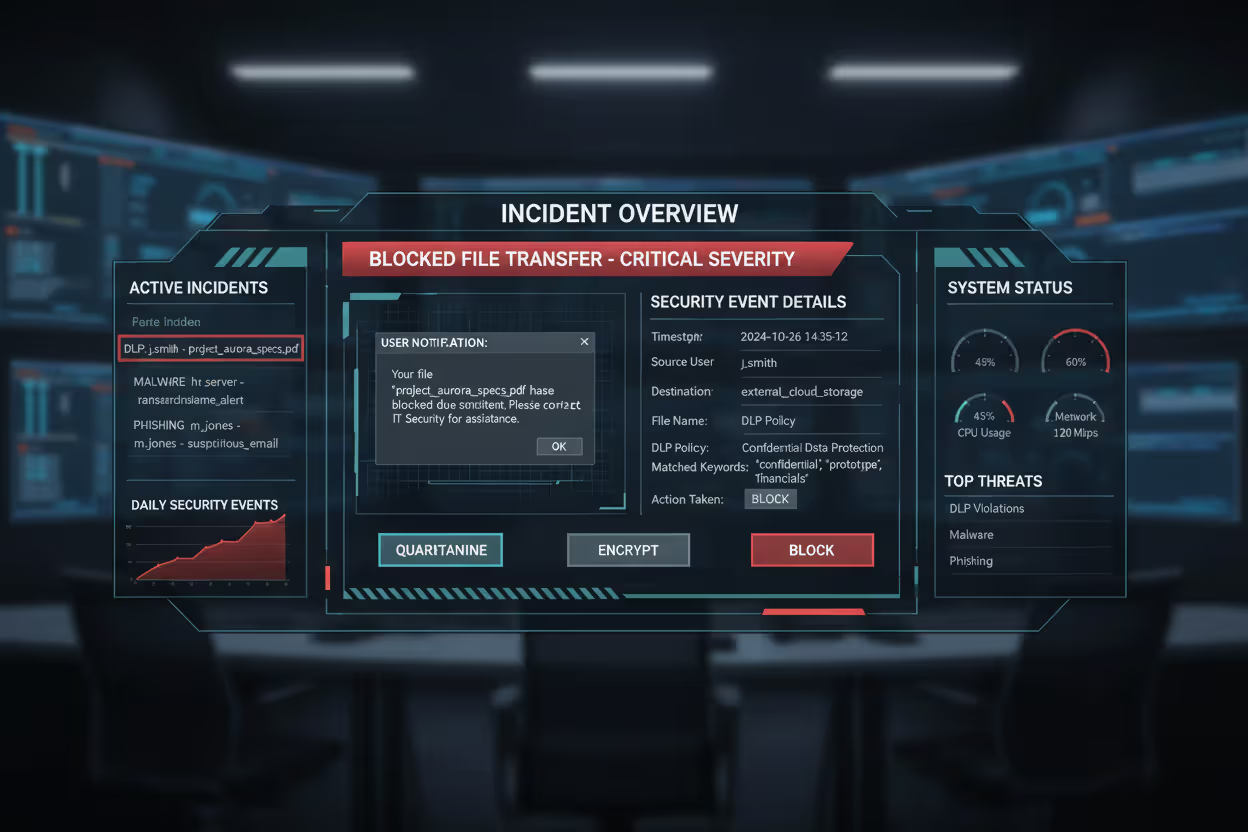
Phase four: Response and remediation. The system takes action based on policy settings. Options include:
- Block completely (email doesn't send, file transfer fails)
- Quarantine (hold for security review)
- Encrypt automatically (file gets encrypted before sending)
- Redact sensitive portions (remove credit card numbers, keep everything else)
- Alert only (let it through but notify security)
- User notification (explain why the action violates policy, suggest alternatives)
The sales manager gets a message: "This email contains customer data and cannot be sent to personal email accounts. To work remotely, access customer information through the VPN-connected CRM system." Security receives an alert for investigation. The incident logs for compliance reporting and trend analysis.
Over months, you'll see patterns. If one policy generates 200 false positives weekly, you adjust the thresholds. If specific departments constantly trip the same rules, you refine policies or provide additional training.
Author: Ethan Caldwel;
Source: williamalmonte.net
Common DLP Cyber Security Use Cases
Real dlp cyber security examples show how companies apply these capabilities to actual business problems.
Protecting intellectual property means keeping your competitive advantages internal. A semiconductor manufacturer uses DLP to ensure chip designs never leave approved engineering systems. When an engineer attempts uploading circuit diagrams to a personal cloud account, DLP blocks the transfer. The system distinguishes between approved sharing with manufacturing partners (allowed) versus unauthorized external sharing (blocked).
Ensuring regulatory compliance transforms abstract legal requirements into automated enforcement. HIPAA requires healthcare providers protect patient information. A medical clinic's DLP system prevents nurses from texting patient details to colleagues, blocks screenshots of electronic health records, and stops clinical data from reaching unauthorized cloud storage. When auditors ask "How do you prevent HIPAA violations?", the answer includes DLP logs showing thousands of blocked policy violations.
Preventing insider threats catches employees stealing data before departure. A financial services firm noticed an analyst who normally accessed 30-40 client records daily suddenly downloaded 15,000 records over a weekend. DLP flagged the anomaly, blocked the bulk download, and alerted security. Investigation revealed the employee had accepted a competitor job offer and planned taking the client list.
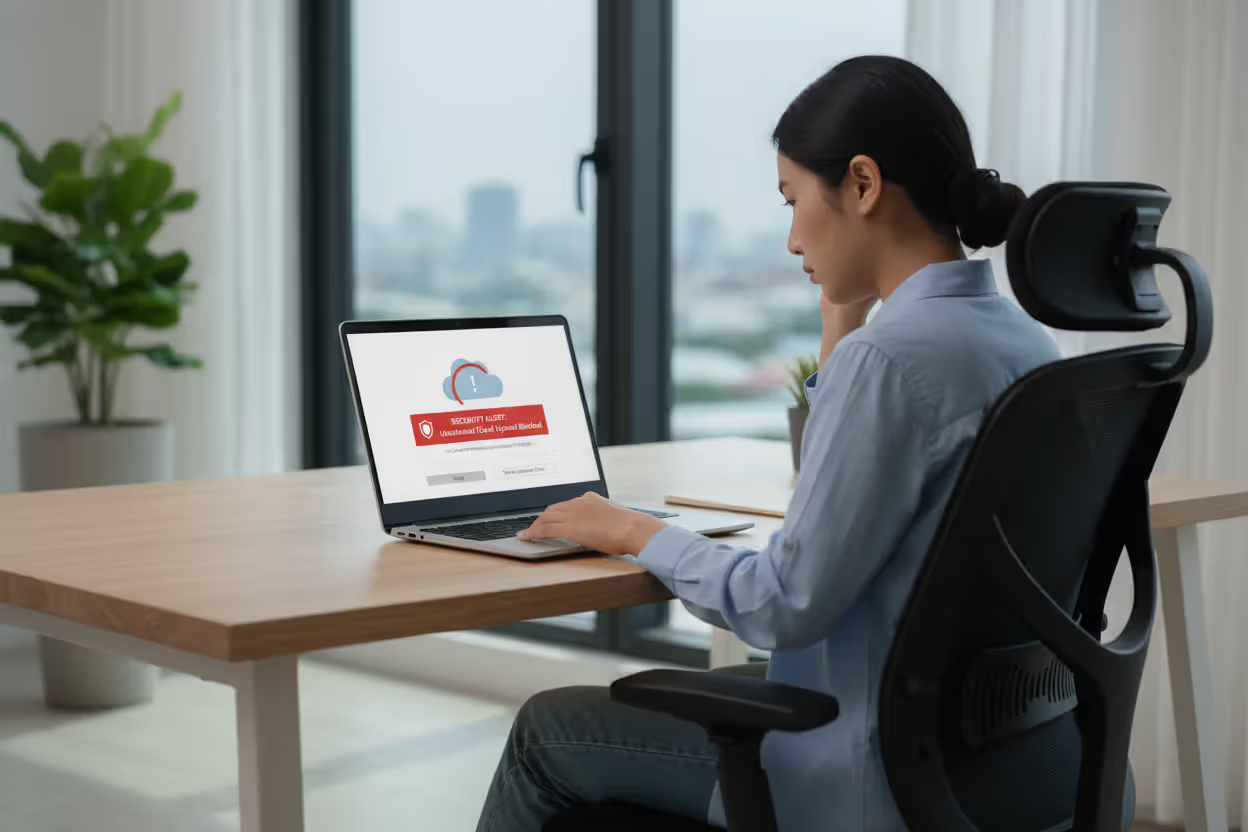
Securing remote work environments extends protection beyond office walls. A law firm's endpoint DLP ensures attorneys working from home follow identical data handling rules as office-based staff. Attempt saving privileged client communications to a personal OneDrive? Blocked. Try copying case files to an unencrypted USB drive? Denied. The laptop's physical location doesn't matter—policies travel with the device.
Author: Ethan Caldwel;
Source: williamalmonte.net
Industry-Specific DLP Applications
Different industries face unique data protection challenges that shape DLP implementations.
Healthcare organizations juggle protecting patient privacy while enabling care coordination. A hospital system configured DLP policies allowing emergency room doctors to email patient information to specialists for consultations (permitted under HIPAA for treatment purposes) while blocking the same doctors from emailing patient data to non-clinical staff or external addresses. Lab results can print in secure locations but not in public areas. X-ray images can transfer to approved medical imaging systems but not personal devices.
Financial services firms handle multiple sensitive data types—customer account information, trading strategies, non-public financial data. An investment bank's DLP system monitors for credit card numbers (PCI DSS compliance), personally identifiable information (GLBA compliance), and material non-public information (insider trading prevention). Traders can access client portfolios on approved terminals but cannot photograph screens, email account details to personal addresses, or upload financial data to unauthorized systems.
Legal practices protect attorney-client privilege and confidential client information. A large law firm implemented DLP to prevent accidental privilege waiver. Associates can work on case files remotely but cannot forward client emails to personal accounts or save privileged documents to public cloud storage. The system distinguishes between work product (attorney-created documents analyzing cases) and privileged communications (client conversations) with different protection levels.
Government agencies secure classified information across multiple sensitivity levels. An agency uses DLP to enforce need-to-know access—employees with Secret clearances cannot access Top Secret materials, and documents cannot move from classified networks to unclassified systems. The system prevents photographing classified screens, blocks classified documents from printing on unclassified printers, and monitors for attempted policy violations that might indicate insider threats.
Key Components of a DLP Cyber Security Solution
Understanding what's inside DLP systems helps you evaluate vendors and plan deployments.
Content inspection and analysis represents the detective work. Keyword dictionaries flag documents containing specific terms—"confidential," "trade secret," "attorney-client privileged." But keyword matching alone generates massive false positives. An email discussing "confidential client relationships" in a sales strategy context differs from actual confidential client data.
Regular expressions detect structured data patterns. Credit cards follow Luhn algorithm checksum rules. Email addresses contain @ symbols with domain names. Social security numbers fit XXX-XX-XXXX patterns. Advanced regex can distinguish valid credit card numbers from random digit strings.
Document fingerprinting creates digital signatures identifying specific files. Your DLP system fingerprints all documents in the "Board of Directors" folder, then recognizes those exact files anywhere—renamed, reformatted, or converted to PDFs. Someone tries emailing last quarter's board presentation to a competitor? Fingerprinting catches it regardless of filename changes.
Exact data matching compares against databases of known sensitive information. Load your employee database (names, SSNs, addresses) into the DLP system. Now it detects any document containing employee SSNs, even without pattern matching, because it recognizes the exact numbers.
Contextual analysis evaluates circumstances beyond content. User identity matters—finance employees legitimately access payroll data that marketing staff shouldn't see. Destination determines risk—sending customer lists to your CRM vendor differs from uploading to random file-sharing sites. Time provides clues—accessing sensitive files at 3 AM from unusual locations raises suspicion. Historical behavior establishes baselines—someone who normally views 40 records daily then downloads 10,000 triggers anomaly detection.
Policy management interfaces determine whether configuring DLP requires programming expertise or just business knowledge. Modern systems provide templates for common scenarios: PCI DSS compliance, HIPAA protection, GDPR enforcement. You customize templates rather than building from scratch.
Role-based administration lets different teams manage relevant policies. HR manages policies protecting employee data. Legal handles attorney-client privilege rules. Finance controls financial data policies. Each team operates independently without interfering with others.
Simulation mode tests new policies against historical data before enforcement. You see what would have happened if the policy existed last month—how many blocks, how many alerts, how many false positives. This prevents deploying policies that inadvertently block legitimate business activities.
Reporting and analytics dashboards transform incident data into actionable intelligence. Executives see high-level trends: total policy violations decreased 40% after training, finance department shows highest incident rates, customer data represents 60% of DLP alerts. Security analysts drill into specific incidents investigating potential threats. Compliance officers generate audit reports demonstrating regulatory adherence.
Predictive analytics identify emerging risks. Machine learning spots unusual patterns—a department suddenly generating more violations, specific users consistently triggering policies, new applications causing compliance issues. Early warning lets you address problems before they become breaches.
DLP Implementation Mistakes to Avoid
Even sophisticated DLP technology fails when implementation introduces critical errors. This dlp cyber security guide highlights pitfalls that sink projects.
Over-restrictive policies that hurt productivity kill DLP initiatives faster than anything else. One company blocked all USB drives to prevent data theft. Within weeks, the sales team couldn't deliver presentations at client sites. Marketing couldn't transfer large video files. Employees started emailing files to personal accounts (creating bigger risks) rather than dealing with USB restrictions.
Start monitoring before blocking. Watch what actually happens for 30-60 days. You'll discover which policies would stop real threats versus which would just annoy people. Implement exceptions—maybe sales can use approved encrypted USB drives while engineering cannot use any removable media.
Lack of employee training creates resistance and workarounds. Users who don't understand why DLP blocked their action just see obstacles. "This stupid security system won't let me do my job!" They find alternative methods—personal cloud storage, consumer file-sharing services—that evade DLP entirely.
Explain the "why" behind policies. Show real examples: "Last year, a competitor stole our customer list when an employee forwarded it to their personal email. DLP prevents similar incidents by blocking confidential data from reaching personal accounts. If you need remote access, here's how to use the approved VPN method instead." Employees who understand the purpose become allies.
Ignoring cloud environments leaves gaping holes. A manufacturing company deployed network and endpoint DLP but ignored cloud applications. An employee couldn't download the customer database to a laptop (endpoint DLP blocked it) or email it externally (network DLP stopped that). But they could share it from SharePoint to their personal OneDrive account—a cloud-to-cloud transfer invisible to network and endpoint systems. Cloud DLP must be part of initial deployments.

Author: Ethan Caldwel;
Source: williamalmonte.net
Failing to update policies regularly renders DLP ineffective as business evolves. You implement policies in January. By June, the company adopted three new cloud applications, signed partnership agreements with two vendors, hired remote employees in five states, and faces new regulatory requirements. January's policies don't address June's reality.
Quarterly policy reviews should ask: What business changes require policy updates? Which policies generate excessive false positives? What new threats emerged? Which incidents revealed policy gaps? Incident analysis drives continuous improvement.
Not testing before full deployment creates disasters. One organization enabled DLP in enforcement mode across 5,000 employees on Monday morning. By noon, legitimate business processes broke. The helpdesk received 800 calls. Executives demanded the system be disabled. The project collapsed.
Pilot programs with specific departments identify issues before company-wide rollout. Start with IT or security teams who understand the technology and tolerate disruptions. Expand to a business unit. Learn from each phase. Staged deployment—monitoring first, then notifications, then selective blocking, finally full enforcement—allows gradual adjustment.
Choosing the Right DLP Cyber Security Solution
Organizations implementing DLP as part of broader zero-trust frameworks—combining identity verification, least-privilege access, and continuous monitoring—create adaptive defenses that scale with modern threats. DLP evolved from simple perimeter controls into intelligent systems that understand data context, user behavior, and business requirements. Companies treating DLP as integrated security fabric rather than standalone tools achieve measurably better outcomes
— Dr. Sarah Chen
Selecting appropriate DLP technology requires evaluating multiple factors against your specific requirements.
Deployment model affects everything from costs to control. On-premises DLP gives you maximum control—hardware sits in your datacenter, data never leaves your infrastructure. You control updates, configurations, and customizations. The tradeoff? You buy hardware, maintain systems, and hire specialized staff. One midsize bank spent $180,000 on hardware plus $220,000 annually on staffing for their on-premises DLP.
Cloud-based DLP shifts infrastructure burden to vendors. No hardware to buy, no systems to maintain, automatic updates, easy scaling. You pay per-user monthly fees instead of large upfront costs. Data processing happens in vendor clouds, which raises questions about data sovereignty and vendor security. A consulting firm with 300 employees pays $15,000 monthly for cloud DLP covering endpoints and cloud applications.
Hybrid models combine both approaches—on-premises for network and sensitive data, cloud for SaaS applications and remote endpoints. Complexity increases but you optimize for different requirements.
Integration capabilities determine implementation friction. Does the DLP integrate natively with your email gateway? Your web proxy? Your SIEM system? Your identity provider? Native integrations work better than bolt-on connections.
API availability enables custom integrations with proprietary applications. Maybe you built custom CRM software—can the DLP vendor provide APIs for integration? Compatibility with existing endpoint management tools (Microsoft Intune, VMware Workspace ONE) streamlines agent deployment to thousands of devices.
Scalability matters more than most organizations initially realize. You implement DLP for 500 users today. What happens when you acquire a company adding 2,000 users? When email volume doubles? When you adopt five new SaaS applications? Cloud solutions typically scale more easily—you increase user licenses and capacity grows automatically. On-premises scaling requires hardware upgrades and architectural changes.
Vendor support becomes critical during incidents. You discover an attempted data theft at 2 AM Friday. Can you reach vendor support immediately or do you wait until Monday morning? What's guaranteed response time for critical issues? Does the vendor provide implementation assistance or just sell licenses and leave you figuring out deployment?
Evaluate vendor stability too. Established vendors like Symantec, McAfee, and Forcepoint offer mature products with extensive features but may lack innovation. Newer vendors provide cutting-edge capabilities—better machine learning, cloud-native architectures—but carry risks around long-term viability.
Cost considerations extend far beyond licensing. Calculate total ownership costs including:
- Software licensing (per-user, per-device, or data-volume based)
- Hardware (for on-premises deployments)
- Implementation services (vendor professional services or consultant fees)
- Training (administrator training, user awareness programs)
- Ongoing management (security staff time monitoring alerts, managing policies)
- False positive costs (time investigating false alerts, productivity lost to blocked legitimate actions)
One healthcare provider calculated their DLP cost $85 per protected user annually when factoring all expenses—$45 licensing, $25 management overhead, $15 implementation amortized over three years.
| Deployment Type | Primary Use Case | Data Monitored | Deployment Complexity | Best For |
| Network DLP | Stop sensitive data leaving corporate networks | Outbound emails, web uploads, file transfers, messaging traffic | Medium complexity—needs network infrastructure access and policy tuning | Mid-to-large companies with defined network perimeters and on-premises infrastructure |
| Endpoint DLP | Control data on individual devices | Local file operations, USB transfers, screenshots, printing, clipboard, offline activity | High complexity—agent required on every device, challenging at scale | Organizations with mobile workforces, BYOD environments, or remote employees |
| Cloud DLP | Protect data in SaaS platforms | Cloud storage, collaboration tools, webmail, SaaS applications | Low-to-medium complexity—API integration, limited infrastructure | Companies extensively using cloud services or undergoing cloud migration |
FAQ About DLP Cyber Security
Data represents the core value of modern organizations—customer information, intellectual property, financial records, trade secrets, strategic plans. Protecting that value requires more than perimeter defenses hoping attackers never get inside. You need internal controls stopping sensitive data from leaving when it shouldn't, whether through employee mistakes, malicious insiders, or external attackers.
DLP cyber security provides those controls when implemented thoughtfully. The technology works—it can identify sensitive data, monitor data movements, enforce policies, and block violations. Implementation success depends on balancing security requirements against business realities. Overly restrictive policies that prevent legitimate work create resistance and workarounds that increase risk. Thoughtful approaches considering actual workflows, providing clear guidance, and evolving based on feedback create sustainable long-term protection.
Start with clear objectives tied to business needs. Are you primarily concerned with regulatory compliance? Protecting intellectual property? Preventing insider threats? Different goals require different approaches. Deploy incrementally—monitor before blocking, pilot before company-wide rollout, adjust based on feedback. Measure results beyond just incidents blocked—also track false positives, user satisfaction, and business impact.
Treat DLP as an ongoing program requiring continuous attention, not a one-time project you implement then forget. Policies need regular updates as business changes. User training requires refreshers. Technology evolves—new threats emerge, new capabilities become available. Organizations investing in sustained DLP programs realize the greatest value through prevented breaches, simplified compliance, and protected competitive advantages.
Your competitors already have access to similar technologies, similar markets, and similar opportunities. What they shouldn't have access to is your customer list, your product roadmap, your proprietary research, or your strategic plans. DLP helps ensure they don't.
Related Stories

Read more

Read more



The content on this website is provided for general informational and educational purposes only. It is intended to explain concepts related to endpoint security, cybersecurity practices, threat prevention, and security technologies.
All information on this website, including articles, guides, and examples, is presented for general educational purposes. Cybersecurity requirements and implementations may vary depending on organizational needs, infrastructure, regulatory requirements, and threat environments.
This website does not provide professional cybersecurity, legal, or compliance advice, and the information presented should not be used as a substitute for consultation with qualified cybersecurity professionals.
The website and its authors are not responsible for any errors or omissions, or for any outcomes resulting from decisions made based on the information provided on this website.